Starfield Compendium
By Ideki
Community Rating
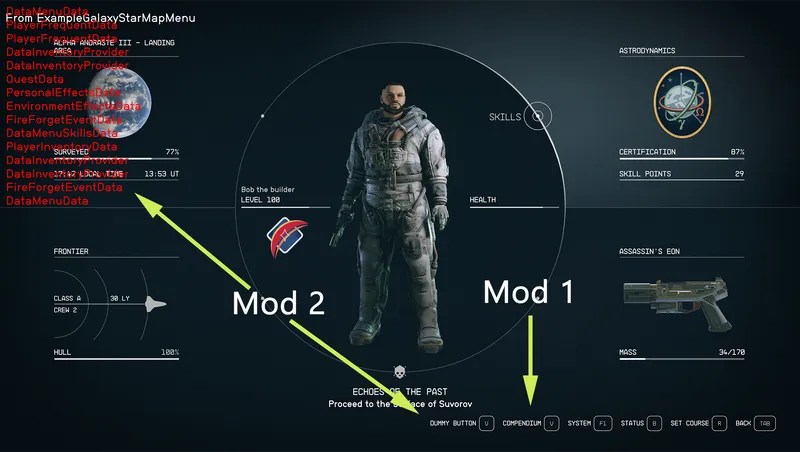
Starfield Compendium provides multiple modules that each help you explore the galaxy in their own way.
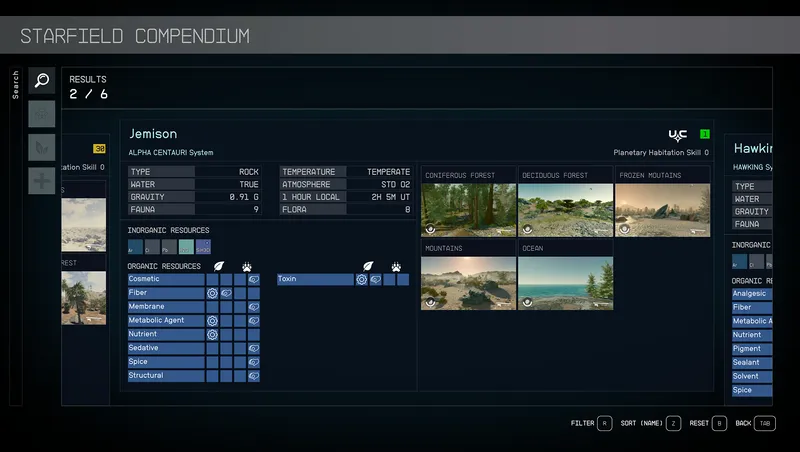
- Search: With 45 Inorganic and 30 Organic unique resources spread across 465 planets, 226 gas giants, and 972 moons, what will you craft and sell? Will you build a sprawling empire across multiple star systems, or find that perfect spot that has it all?
Search planets for your inorganic and organic resources needs. Optimize your outposts by finding the best planets and moons to extract the resources for your outpost construction, production, research and development, weapons, and spacesuit modding.
You can filter by Inorganic and/or Organic resources, System Level, Faction, Planetary Habitation Skill level, range (same planet or same system), include Organic resources that can only be harvested manually. The results show you the matching planets/moons with their information, resources, and biomes.
-
Resources: Have you ever tried to craft an item, only to find that you are missing that one item that cannot be crafted or gathered (I am looking at you Small Round Primer...) Now you can find the vendors for those elusive items without having to roam every starport.
-
Biomes: You have this fantastic vision of your perfect home and want to build it in a specific biome. But where can you find that biome? Select the biome that you want and see all the planets that host its type. For each planet, its level, faction, and Planetary Habitation Skill level are provided to help you make the best choice.
-
Medic: Exploration can be a dangerous activity. In the Medic module, you can find which medication you can use to remove your conditions. The top of the screen lists all the conditions you currently have. Below is the list of medications that can heal you. The list also shows if you have any of them in your inventory. If a medication can be crafted, the recipe for it is shown on the right side. If a medication can only be bought, a list of vendors is shown instead.
Current features:
- Xbox support,
- Search and filter planets by multiple criteria,
- Biomes location and screenshots,
- Find vendors for resources required for crafting/research that cannot be gathered/crafted,
- Discover the best medication to heal your ailments.
Note: There are some know compatibility issues with the following mods:
- StarUI
- Undelayed Menus
- Galactic Junk Recycler
if you encounter a problem, or have questions, you can contact me on: Discord: _zorglub Reddit: Zorglub01
If you do a review of my mod, drop me a link.
Release notes
Xbox
-
1.27Updated to latest game version
-
1.28Updated to latest game version.
Added PlayStation version -
1.26Updated to latest UIPlayNice
-
1.25Updated to latest UIPlayNice
-
1.24Fixed a bug in UIPlayNice
-
1.23Updated to latest UIPlayNice.
Fixed an issue with Compendium button not showing -
1.22Fixed an issue preventing Compendium from showing while the player is in space
Updated to latest UIPlayNice -
1.21Updated to latest UIPlayNice
-
1.20Fixed an issue with some NPC showing items that they don't actually sell
Fixed a bug that caused all planets to show the same characteristics
Fixed a potential error message showing when it should not. -
1.19Fixed an issue with UIPlayNice
-
1.18Re-integrated the screenshots into the main mod.
Updated to the lastest UIPlayNice -
1.00== Describe this release ==
-
1.17Updated to latest UIPlayNice to support Buttons
-
1.16Removed some debug info leftover.
-
1.15Updated to latest UIPlayNice Interface version
-
1.14Added support for UIPlayNice
-
1.13Added missing Volcanic biome for Rivera I
-
1.12Fixed an issue with loading the Starfield Compendium Images extension.
A new version of the Compendium Images extensions will be published as soon as it is ready. -
1.11Fixed an issue in the Medic module that caused it to fail to show the list of vendors
-
1.1- Full Xbox controller support
- Redesigned the UI to support modules so it can be expanded upon with future features.
- Added 3 modules on top of the existing one (Search): Resources, Biomes and Medic.
Playstation
-
1.27Updated to latest game version
-
1.28Updated to latest game version.
Added PlayStation version
PC
-
1.27Updated to latest game version
-
1.28Updated to latest game version.
Added PlayStation version -
1.26Updated to latest UIPlayNice
-
1.25Updated to latest UIPlayNice
-
1.24Fixed a bug in UIPlayNice
-
1.23Updated to latest UIPlayNice.
Fixed an issue with Compendium button not showing -
1.22Fixed an issue preventing Compendium from showing while the player is in space
Updated to latest UIPlayNice -
1.21Updated to latest UIPlayNice
-
1.20Fixed an issue with some NPC showing items that they don't actually sell
Fixed a bug that caused all planets to show the same characteristics
Fixed a potential error message showing when it should not. -
1.19Fixed an issue with UIPlayNice
-
1.18Re-integrated the screenshots into the main mod.
Updated to the lastest UIPlayNice -
1.00== Describe this release ==
-
1.17Updated to latest UIPlayNice to support Buttons
-
1.16Removed some debug info leftover.
-
1.15Updated to latest UIPlayNice Interface version
-
1.14Added support for UIPlayNice
-
1.13Added missing Volcanic biome for Rivera I
-
1.12Fixed an issue with loading the Starfield Compendium Images extension.
A new version of the Compendium Images extensions will be published as soon as it is ready. -
1.11Fixed an issue in the Medic module that caused it to fail to show the list of vendors
-
1.1- Full Xbox controller support
- Redesigned the UI to support modules so it can be expanded upon with future features.
- Added 3 modules on top of the existing one (Search): Resources, Biomes and Medic. -
1.00Initial release.
Support for filtering Planets and Moons by Inorganic and Organics resources.
Additional Screenshots Available
This mod has 8 additional screenshots available on the official Bethesda.net page.
View All Screenshots on Bethesda.netYouTube Videos
Community Rating & Feedback
User Reviews (1)
Rather unfortunately, this mod is not compatible with a lot of other UI mods and, as the description says, your data that you input doesn't save between loading the game. Which is an absolute shame. I've wanted something like this in the base game since the game came out. Until BGS allows a mod like this to actually work, I'm afraid it was a waste of my free credits I got with the deluxe version of the game.
Related Starfield Mods
By xtcrefugee • 2 years ago
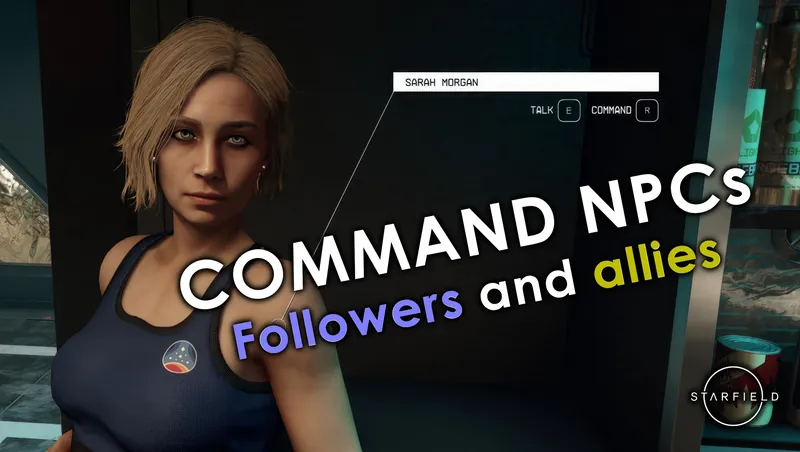
Allows the player to command followers and other allies to do things, as was possible in previous Bethesda games. Also allows you to access the inventories of unnamed crew.

By cdante • 1 year ago
A creation that allows you to monitor the metrics that describe your relationship with your four companions in Starfield.

By JaeDL • 2 years ago
Updated, lore-friendly weathers and climates. The #1 Weather and Climate overhaul on Nexus with over 6,000 downloads before the launch of Creation Kit - now available on Creations.
By HjaImere • 1 year ago
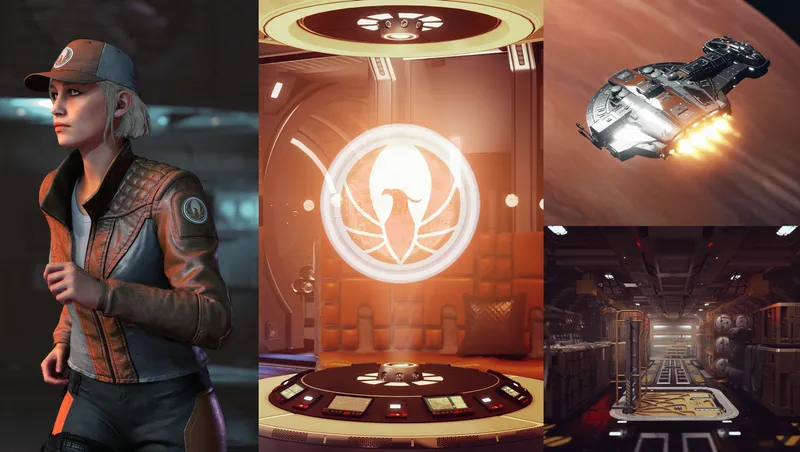
Journey to New Atlantis and visit the headquarters of the latest vendor to enter the ship services market in the Settled Systems!
Quick Actions
Your Rating
Sign in to rate and review this mod—your vote helps the community.
Community Rating
Categories
Mod Information
- Published
- Jul 02, 2024
- Last Updated
- Jul 28, 2026
- Platforms
- Playstation, PC, Xbox
Search Mods
Related Starfield Mods