Fleet Commander
By korodic
Community Rating
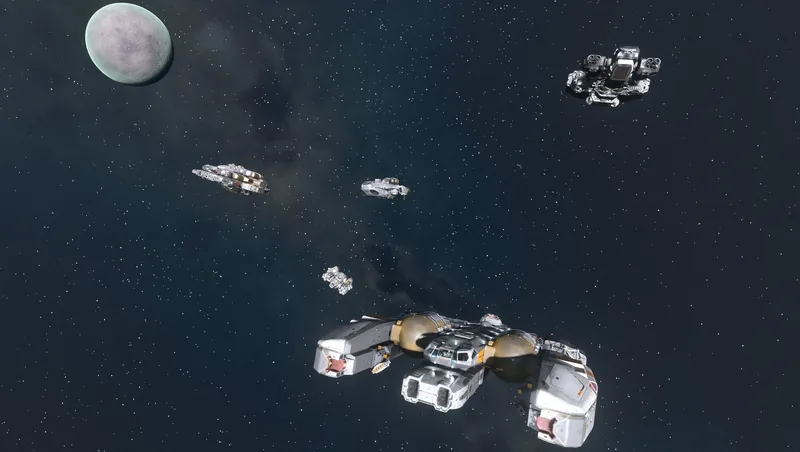
Your ships have been sitting in that hangar long enough. Fleet Commander turns your collection into a fighting force ready to follow you across the stars.
How It Works
Fleet size is tied to your Ship Command skill, up to a maximum of 4 ships. Ships are managed through the Fleet Management Terminal, which can be built aboard your ship or at your outpost. Once added to your active fleet, ships with an assigned pilot will join you in space and escort you.
Features
Fleet Management
Ships are added to and removed from your active fleet using the Fleet Management Terminal, buildable aboard your ship or at your outpost. Your fleet can hold up to four ships, with each rank of the Ship Command skill unlocking an additional slot. From the terminal you can also:
- Assign and dismiss crew across your entire fleet without visiting each ship individually, with each ship's crew count and available slots displayed at a glance.
- Assign and dismiss dedicated pilots per ship.
- Set the follow distance for each ship individually.
- Trade with assigned crew directly from the terminal.
- Fire crew members you no longer want to associate with from the terminal.
Pilots
Assign a crew member as the dedicated pilot of each fleet ship. Assigned pilots will take their seat and fly their ship, and their name is displayed in the Fleet Management Terminal alongside the ship they command. Pilots require the Piloting skill. Crew who lack it can earn it by reading a Stroud-Eklund Flight Manual, sold by vendors across the Settled Systems.
- Common - Ahnjong Sinclair (Akila City)
- Uncommon - Jemison Mercantile (New Atlantis), Jane (Cydonia), Jae (New Homestead)
- Rare - Emerson Shepherd (Akila City), Newill's Goods (Neon), Trade Authority, LIST
Swap Home Ship
Fleet Commander allows you to set your home ship when travelling to another planet or on cruise arrival. When switching to a fleet ship on undock, your crew will swap to the new home ship automatically. Both behaviors are configurable in Game Options.
Shared Cargo
Ships in your active fleet contribute their max cargo and shielded cargo capacity to a shared pool, making it easier to haul more without micromanaging individual ships. Configurable in Game Options.
Combat Behavior
Ships in your fleet will fight alongside you in combat. When things get dire, they can be configured to:
- Grav jump away when shields are lost
- Grav jump away at low HP
- Fight to the death
Crew Management
Assign and dismiss crew across your entire fleet directly from the Fleet Management Terminal, without visiting each ship individually. Each ship's crew count and available slots are displayed at a glance.
Trade with Your Crew
Easily customize your crew. Fleet crew members can be traded with directly using the Trade activation option, without needing to open the Fleet Management terminal. All trade behaviors are configurable in Game Options.
- Fleet Crew Trade - Enable or disable the Trade interaction independently for non-follower crew and active followers, avoiding conflicts with follower mods that manage their own interactions.
- Crew Preview in Trade Window - The trade window can optionally display the crew member's physical appearance instead of the player.
- Only Show Trade Onboard Player Ships - Restricts the Trade interaction to only appear while aboard one of your own ships, keeping your activation options clean while planetside.
Compatibility & Extensibility
Fleet Commander does not conflict with Watchtower. However, you should not select ships used in your Fleet Commander active fleet to be used in your Watchtower fleet. Fleet Commander helps you avoid this issue in Fleet Commander by removing ships in your Watchtower fleet from the Fleet Commander Fleet Management Terminal when adding ships.
The Fleet Crew Trade (Followers) game option exists specifically to avoid conflicts with follower mods. If your follower mod manages its own activation options or trade interactions, simply disable that option.
Like Shared Cargo? Companion Shared Carry Capacity can give you the same bonus with your companions!
Troubleshooting
Having issues? A new built-in troubleshooting tool has been added to the pharmaceutical lab workbench: ".Debug Menu". To avoid overpopulating the crafting menu, this item is only available to craft when the player is naked (no outfit or spacesuit). You may have multiple, so look at the description to ensure you are crafting and using the one for Fleet Commander. Once the aid item is used, a menu will pop up with debug options available. This list will grow with future updates as deemed necessary.
If you are upgrading to v2.1 or higher from a lower version on an existing save, it is recommended you use this tool to restart the Fleet Commander manager quest.
Release notes
Xbox
-
2.1* New feature: Pilots will now occupy their pilot seats when you board a ship in your active fleet, and will stand up as you approach, giving you the option to take the helm.
* New feature: Fire Crew option added to the Fleet Control Terminal, with a confirmation prompt. This will dismiss the crew member and remove them from the crew roster UI. The crew member may be recruited again at their original location.
* New feature: Minimal fleet repair is now applied when moving the fleet, preventing damaged ships from immediately grav jumping out if they fall below the configured health or shield threshold.
* New feature: Relocate Dismissed Crew QOL add-on and its associated game option are now included. Send dismissed crew immediately back to their original location without keeping them on your home ship until docked at a major settlement.
* New feature: Generic Crew QOL add-on and its associated game option are now included. Generic crew are no longer unavailable upon dismissal and removed from your crew roster.
* New feature: Sit To Add Ship QOL add-on and its associated game option are now included. Quickly add ships to your fleet just by sitting in the pilot seat of an unowned ship.
* New feature: Debug item added to assist with troubleshooting. Players on existing saves are encouraged to use it to restart the manager quest, ensuring the newer ship-removal registration event is active and tracking correctly.
* Bug fix: Ships that were removed via the vanilla Remove UI option will no longer appear in the ship list.
* Bug fix: Added detection and handling for ship removal through the vanilla UI remove option. Players on existing saves should use the debug item to restart the manager quest so removals are tracked correctly going forward. Otherwise, ship counts may be inaccurate until the next sanity check.
* Bug fix: Added fallback to pilot seat if/when crew marker fails to be detected.
* Added 1 additional Fleet Command Terminal variant to the build menu. -
2.0* New feature: Crew management. Assign crew to your ship or appoint a pilot. With a crew, you will have the Manage Crew option, allowing you to assign pilot directly, trade, or dismiss a selected crew member per ship.
* New feature: Trade! Select a member of your crew to trade with from the Fleet Management terminal, or use the new Trade activation option on members of your crew. Trade options are configurable in Game Options.
* New feature: Per-ship follow distance, configurable in the Fleet Management terminal.
* New feature: Ships require pilots. Want a crew member to be a pilot who doesn't have the skill? Crew members who do not have the Piloting skill can be given a Stroud-Eklund Flight Manual. Upon receiving it, they will gain the Piloting skill and the book will be removed from their inventory.
* New feature: Added 2 additional Fleet Management Terminal variants.
* Bug fix: Added logical check to prevent multiple OnLanding event triggers.
* New terminal menu layout to support planned content. The new terminal layout includes a main menu for active fleet, dedicated ship selection menu, and active fleet ship options menu.
* Removed ship limit for ship selection menu, previously a hard limit of 50.
* Free Lanes support; fleet ships will now arrive with you at your destination while exiting Cruise mode.
* Updated Game Options descriptions and label. -
1.2* Bug fix: Ships will now come to a complete stop after reaching the Fleet Follow Distance Game Option target. Ships still do need to decelerate and do not come to a sudden stop, keep this in mind when setting your follow distance. It is unclear what caused this behavior with the current AI package, but a workaround has been implemented by modifying the AI package to include Wait packages upon completion of the Follow package.
* Bug fix: Changing of game options will no longer cause additional event registrations for changing of game options. This could cause some script lag/break Fleet Commander if settings were changed excessively for Fleet Commander. -
1.1* New feature: Fleet Follow Distance Game Option can now be used to set the follow distance of your active fleet (values: 150m, 300m, 450m, 600m, 750m (default), 1000m, 1250m, 1500m, 2000m).
* Bug fix: Fleet Management Terminal will now display ship names properly for lists longer than 17 owned ships.
* Bug fix: Shared Cargo will no longer negatively affect player inventory. There was an unexpected behavior in using a Perk Spell to adjust the home ship's Actor Value carryweight; while the spell properly reduced the carryweight of the home ship, it also reduced the player's carryweight value. This has been reimplemented using a negative offset via Perk Entry as to not affect the player and still get the desired effect of offsetting the Share Shielded Cargo, which is available while on board the player's home ship.
* Bug fix: A preventative measure has been added so most ships will no longer stay put or fly aimlessly away when dismissed. Determined issue was due to ships not having a point of power in grav drive. Power redistribution will now provide 1 point to grav drive if no engine power is already assigned when refreshing ship AI after travel.
* Bug fix: A preventative measure has been added so most ships will not grav jump immediately after a travel event. Determined issue was due to a failure in recovering shield health or not having power in shields when having the flee combat option set to low shields. Power redistribution will now provide 1 point to shield (slight restoration of shield too) when refreshing ship AI after travel.
* Adjusted behavior for power redistribution (from weapons to engine) when fleet is moved to fully power the engine for faster follower movement. Power is redistributed as needed during combat back to weapons.
* Fleet Management Terminal will now display an error when the player doesn't have at least 1 perk point in Ship Command or 1 available ship to be in your fleet. -
1.00Initial release.
Playstation
-
2.1* New feature: Pilots will now occupy their pilot seats when you board a ship in your active fleet, and will stand up as you approach, giving you the option to take the helm.
* New feature: Fire Crew option added to the Fleet Control Terminal, with a confirmation prompt. This will dismiss the crew member and remove them from the crew roster UI. The crew member may be recruited again at their original location.
* New feature: Minimal fleet repair is now applied when moving the fleet, preventing damaged ships from immediately grav jumping out if they fall below the configured health or shield threshold.
* New feature: Relocate Dismissed Crew QOL add-on and its associated game option are now included. Send dismissed crew immediately back to their original location without keeping them on your home ship until docked at a major settlement.
* New feature: Generic Crew QOL add-on and its associated game option are now included. Generic crew are no longer unavailable upon dismissal and removed from your crew roster.
* New feature: Sit To Add Ship QOL add-on and its associated game option are now included. Quickly add ships to your fleet just by sitting in the pilot seat of an unowned ship.
* New feature: Debug item added to assist with troubleshooting. Players on existing saves are encouraged to use it to restart the manager quest, ensuring the newer ship-removal registration event is active and tracking correctly.
* Bug fix: Ships that were removed via the vanilla Remove UI option will no longer appear in the ship list.
* Bug fix: Added detection and handling for ship removal through the vanilla UI remove option. Players on existing saves should use the debug item to restart the manager quest so removals are tracked correctly going forward. Otherwise, ship counts may be inaccurate until the next sanity check.
* Bug fix: Added fallback to pilot seat if/when crew marker fails to be detected.
* Added 1 additional Fleet Command Terminal variant to the build menu. -
2.0* New feature: Crew management. Assign crew to your ship or appoint a pilot. With a crew, you will have the Manage Crew option, allowing you to assign pilot directly, trade, or dismiss a selected crew member per ship.
* New feature: Trade! Select a member of your crew to trade with from the Fleet Management terminal, or use the new Trade activation option on members of your crew. Trade options are configurable in Game Options.
* New feature: Per-ship follow distance, configurable in the Fleet Management terminal.
* New feature: Ships require pilots. Want a crew member to be a pilot who doesn't have the skill? Crew members who do not have the Piloting skill can be given a Stroud-Eklund Flight Manual. Upon receiving it, they will gain the Piloting skill and the book will be removed from their inventory.
* New feature: Added 2 additional Fleet Management Terminal variants.
* Bug fix: Added logical check to prevent multiple OnLanding event triggers.
* New terminal menu layout to support planned content. The new terminal layout includes a main menu for active fleet, dedicated ship selection menu, and active fleet ship options menu.
* Removed ship limit for ship selection menu, previously a hard limit of 50.
* Free Lanes support; fleet ships will now arrive with you at your destination while exiting Cruise mode.
* Updated Game Options descriptions and label.
PC
-
2.1* New feature: Pilots will now occupy their pilot seats when you board a ship in your active fleet, and will stand up as you approach, giving you the option to take the helm.
* New feature: Fire Crew option added to the Fleet Control Terminal, with a confirmation prompt. This will dismiss the crew member and remove them from the crew roster UI. The crew member may be recruited again at their original location.
* New feature: Minimal fleet repair is now applied when moving the fleet, preventing damaged ships from immediately grav jumping out if they fall below the configured health or shield threshold.
* New feature: Relocate Dismissed Crew QOL add-on and its associated game option are now included. Send dismissed crew immediately back to their original location without keeping them on your home ship until docked at a major settlement.
* New feature: Generic Crew QOL add-on and its associated game option are now included. Generic crew are no longer unavailable upon dismissal and removed from your crew roster.
* New feature: Sit To Add Ship QOL add-on and its associated game option are now included. Quickly add ships to your fleet just by sitting in the pilot seat of an unowned ship.
* New feature: Debug item added to assist with troubleshooting. Players on existing saves are encouraged to use it to restart the manager quest, ensuring the newer ship-removal registration event is active and tracking correctly.
* Bug fix: Ships that were removed via the vanilla Remove UI option will no longer appear in the ship list.
* Bug fix: Added detection and handling for ship removal through the vanilla UI remove option. Players on existing saves should use the debug item to restart the manager quest so removals are tracked correctly going forward. Otherwise, ship counts may be inaccurate until the next sanity check.
* Bug fix: Added fallback to pilot seat if/when crew marker fails to be detected.
* Added 1 additional Fleet Command Terminal variant to the build menu. -
2.0* New feature: Crew management. Assign crew to your ship or appoint a pilot. With a crew, you will have the Manage Crew option, allowing you to assign pilot directly, trade, or dismiss a selected crew member per ship.
* New feature: Trade! Select a member of your crew to trade with from the Fleet Management terminal, or use the new Trade activation option on members of your crew. Trade options are configurable in Game Options.
* New feature: Per-ship follow distance, configurable in the Fleet Management terminal.
* New feature: Ships require pilots. Want a crew member to be a pilot who doesn't have the skill? Crew members who do not have the Piloting skill can be given a Stroud-Eklund Flight Manual. Upon receiving it, they will gain the Piloting skill and the book will be removed from their inventory.
* New feature: Added 2 additional Fleet Management Terminal variants.
* Bug fix: Added logical check to prevent multiple OnLanding event triggers.
* New terminal menu layout to support planned content. The new terminal layout includes a main menu for active fleet, dedicated ship selection menu, and active fleet ship options menu.
* Removed ship limit for ship selection menu, previously a hard limit of 50.
* Free Lanes support; fleet ships will now arrive with you at your destination while exiting Cruise mode.
* Updated Game Options descriptions and label. -
1.2* Bug fix: Ships will now come to a complete stop after reaching the Fleet Follow Distance Game Option target. Ships still do need to decelerate and do not come to a sudden stop, keep this in mind when setting your follow distance. It is unclear what caused this behavior with the current AI package, but a workaround has been implemented by modifying the AI package to include Wait packages upon completion of the Follow package.
* Bug fix: Changing of game options will no longer cause additional event registrations for changing of game options. This could cause some script lag/break Fleet Commander if settings were changed excessively for Fleet Commander. -
1.1* New feature: Fleet Follow Distance Game Option can now be used to set the follow distance of your active fleet (values: 150m, 300m, 450m, 600m, 750m (default), 1000m, 1250m, 1500m, 2000m).
* Bug fix: Fleet Management Terminal will now display ship names properly for lists longer than 17 owned ships.
* Bug fix: Shared Cargo will no longer negatively affect player inventory. There was an unexpected behavior in using a Perk Spell to adjust the home ship's Actor Value carryweight; while the spell properly reduced the carryweight of the home ship, it also reduced the player's carryweight value. This has been reimplemented using a negative offset via Perk Entry as to not affect the player and still get the desired effect of offsetting the Share Shielded Cargo, which is available while on board the player's home ship.
* Bug fix: A preventative measure has been added so most ships will no longer stay put or fly aimlessly away when dismissed. Determined issue was due to ships not having a point of power in grav drive. Power redistribution will now provide 1 point to grav drive if no engine power is already assigned when refreshing ship AI after travel.
* Bug fix: A preventative measure has been added so most ships will not grav jump immediately after a travel event. Determined issue was due to a failure in recovering shield health or not having power in shields when having the flee combat option set to low shields. Power redistribution will now provide 1 point to shield (slight restoration of shield too) when refreshing ship AI after travel.
* Adjusted behavior for power redistribution (from weapons to engine) when fleet is moved to fully power the engine for faster follower movement. Power is redistributed as needed during combat back to weapons.
* Fleet Management Terminal will now display an error when the player doesn't have at least 1 perk point in Ship Command or 1 available ship to be in your fleet. -
1.00Initial release.
Additional Screenshots Available
This mod has 8 additional screenshots available on the official Bethesda.net page.
View All Screenshots on Bethesda.netYouTube Videos
Community Rating & Feedback
No reviews with comments yet.
Be the first to leave a review!
Related Starfield Mods
By korodic • 2 years ago
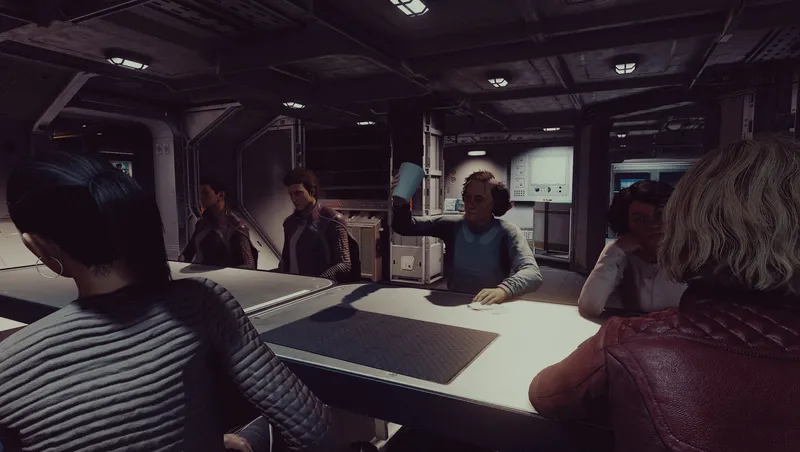
Useful Mess Halls attempts to make mess halls... well, useful!
By korodic • 1 year ago
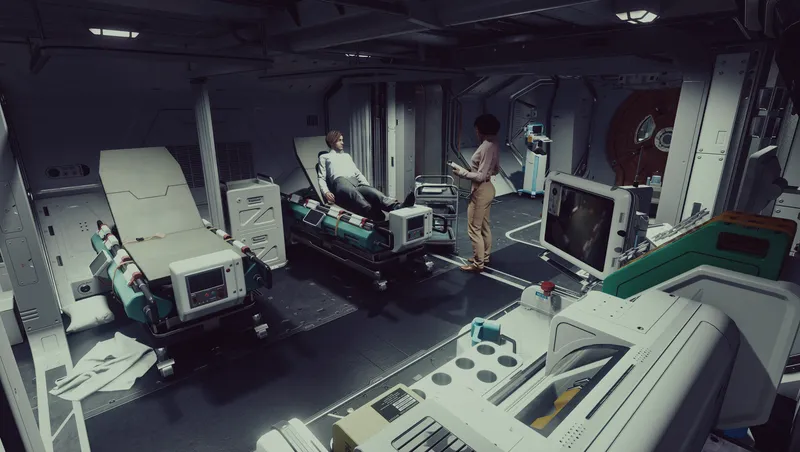
Useful Infirmaries attempts to make infirmaries... well, useful!
By korodic • 2 years ago
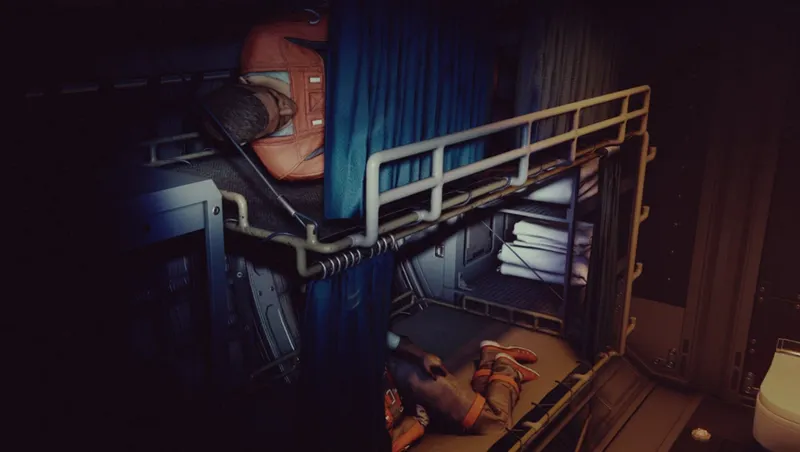
Brigs. Your ship has them, you can't use them. But why? I don't know. Cut content? Future content? Perchance. Useful Brigs aims to make brigs, well... useful.
By korodic • 2 years ago
I can bring you in warm, or I can bring you in cold. Restrain NPCs using handcuffs for functional or role play purposes.
Quick Actions
Your Rating
Sign in to rate and review this mod—your vote helps the community.
Community Rating
Categories
Mod Information
- Published
- Nov 05, 2024
- Last Updated
- Jul 08, 2026
- Platforms
- Playstation, PC, Xbox
Search Mods
More by korodic

Related Starfield Mods