Chronomark+
By S1nderion
Community Rating
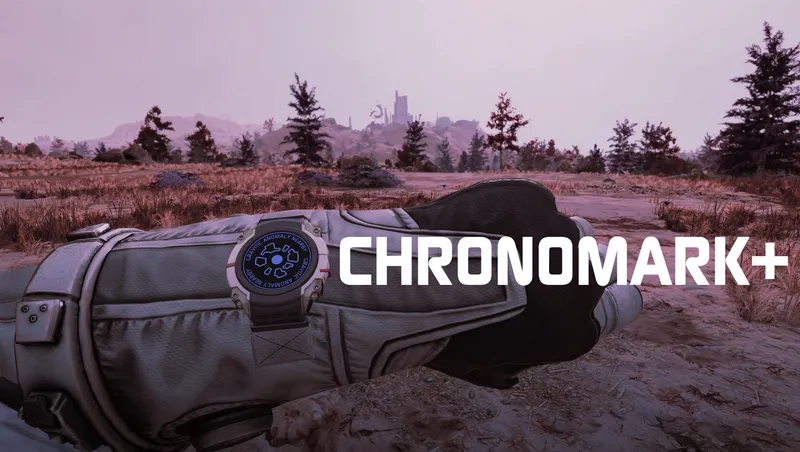
Chronomark+ is an immersive, lightweight treatment of your trusty travel companion, the Constellation Chronomark.
Contact/Feedback
If you encounter any issues, please let me know. You may join the Spacefarer Discord at https://discord.gg/YQHjkGd89x or via the QR code. I can also be reached in the official BGS Discord as S1nderion.
Wearing the Chronomark
You and your Constellation compatriots can now wear Chronomarks throughout the course of your adventuring. Chronomark+ also adds some custom functionality in the form of Chrono.OS.
Chrono.OS Smart Notifications
As you play the game, a variety of events can trigger immersive, animated Notifications to display on your Chronomark. These range from Syncing Chronomarks with your fellow Constellation members, to notifying you when you've landed near a Temple.
Smart Notifications have the following characteristics: • They will be intelligently delayed while you are in combat or otherwise occupied. • They can be flexibly extended by other mods or made to dynamically react to game events. • They use a lightweight cooldown and queueing system to avoid interrupting important content and reduce notification spam.
Let me know if you have any ideas for new notifications, or are a creator who would like to add your own!
Chrono.OS Watch States
Some special conditions will appear on your Chronomark as persistent states. These include low health, poor weather, being in space, and more.
Spacesuit Chronomarks
Some Smart Notifications can appear on your Constellation or Mark 1 Spacesuit's Chronomark. This is not the case for every Notification, or for any other spacesuit types, so please keep this limitation in mind.
Smart Equip
Chronomark+ detects a variety of clothing items to determine automatically whether your Chronomark should be visible.
Smart Equip: Constellation
Sarah, Sam, and Andreja wear unique custom Chronomarks that reflect their personal styles and histories. Barrett gave you his, but left a spare in the Frontier's cargo hold...
Smart Equip: Companions
The Chronomark Case item (found in your room in the Lodge) has been repurposed as a Spare Chronomark. If you give this to a companion, they will Smart Equip a Chronomark when their current apparel allows.
Manual Equip
If you prefer more control over when your Chronomark is worn, you can switch to Manual mode via the Gameplay Options at any point in time. This will let you equip your Chronomark in the inventory like any other piece of apparel. Additionally, choosing not to wear your Chronomark in Manual mode will pause Smart Notifications.
Use Manual mode for further compatibility and customization when using clothing added by other mods.
First-Time Startup
• On a new game, Chronomark+ will begin running once you have joined Constellation. • If you are using an alternate start mod, retrieve Barrett's Spare Chronomark from the Frontier's cargo hold to begin using Smart Equip and Notifications.
Notes
• This mod does not directly affect any HUD or UI elements. • There is no manual hotkey or other method to view the Chronomark. Notifications are instead triggered by game or story events. • The Notification animation will briefly lock the player in place. • Setting the [Chronomark Notifications] Gameplay Option to Standard will defer notifications until you are stationary.
Compatibility
A few mods are patched automatically for Smart Equip via script: • Zone79 Clothing Pack • Eit Clothiers+ [by Zone79] • Constellation Modular Outfits [by OddZealot]
Some scenarios from other mods may trigger unique Notifications: • "Ship Fuel Depleted" may appear on the Chronomark if using Real Fuel. • "Oxygen Reserves Low" may appear on the Chronomark if using Excursion or Real O2.
Potential Incompatibilities
Please note that mods adding custom apparel sometimes use the Chronomark slots for their items. Naturally, for apparel items worn on the wrists, this is fine and works as intended. However, if they are using the Chronomark slot for another type of apparel, this may cause issues.
This is not something that can be fixed by making changes to Chronomark+. Authors will have to adjust their slot usage to make items compatible if this issue occurs.
Configuration
There are two Gameplay Options for Chronomark+. [CHRONOMARK] simply determines if the player's Chronomark uses Smart Equip or is equipped via the Inventory. [CHRONOMARK NOTIFICATIONS] determines when and how the animated Chronomark notifications will play in-game.
Credits
Thanks to SesamePaste and all contributors for Starfield Geometry Bridge for Blender, which was used in the development of this Creation. SGB can be found here: https://github.com/SesamePaste233/StarfieldMeshConverter Thanks to all of my beta testers for their time and feedback.
Release notes
Xbox
-
1.02Added Playstation files.
-
1.00Initial Creations release.
---
Features
- Include Smart Equip and Manual Equip for player
- Include Smart Equip for Constellation
- Include Smart Equip for Companions (by giving them a Spare Chronomark item)
- Include Notifications for game and story events
- Include some Suit Notifications for Constellation and Mark 1 Suits
- Include Watch States for various player and game conditions
- Include Smart Apparel Swap for Constellation from default outfits
---
Automatic Compatibility
- Scripted patch for Zone79 Clothing Pack by Zone79
- Scripted patch for Eit Clothiers+ by Zone79
- Scripted patch for Constellation Modular Outfits by OddZealot
- Integrated 'Oxygen Reserves Low' Notification for Real O2 or Excursion
- Integrated 'Fuel Depleted' Notification for Real Fuel
Playstation
-
1.02Added Playstation files.
PC
-
1.02Added Playstation files.
-
1.00Initial Creations release.
---
Features
- Include Smart Equip and Manual Equip for player
- Include Smart Equip for Constellation
- Include Smart Equip for Companions (by giving them a Spare Chronomark item)
- Include Notifications for game and story events
- Include some Suit Notifications for Constellation and Mark 1 Suits
- Include Watch States for various player and game conditions
- Include Smart Apparel Swap for Constellation from default outfits
---
Automatic Compatibility
- Scripted patch for Zone79 Clothing Pack by Zone79
- Scripted patch for Eit Clothiers+ by Zone79
- Scripted patch for Constellation Modular Outfits by OddZealot
- Integrated 'Oxygen Reserves Low' Notification for Real O2 or Excursion
- Integrated 'Fuel Depleted' Notification for Real Fuel
Additional Screenshots Available
This mod has 11 additional screenshots available on the official Bethesda.net page.
View All Screenshots on Bethesda.netYouTube Videos
Community Rating & Feedback
No reviews with comments yet.
Be the first to leave a review!
Related Starfield Mods
By Deebz • 2 years ago
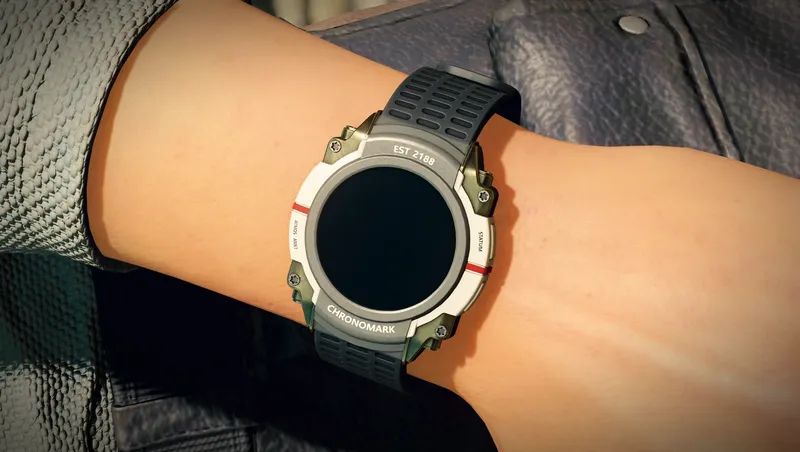
Makes the Chronomark watch visible on your left wrist, as it always should have been. Also equips the watch on other specific members of Constellation.
By S1nderion • 8 months ago
A minimalist rework of Environmental Damage and Hazard gameplay in Starfield.
By S1nderion • 1 year ago
Peak Performance is a lightweight needs mod with high depth and intuitive features.
By shadedness • 2 years ago
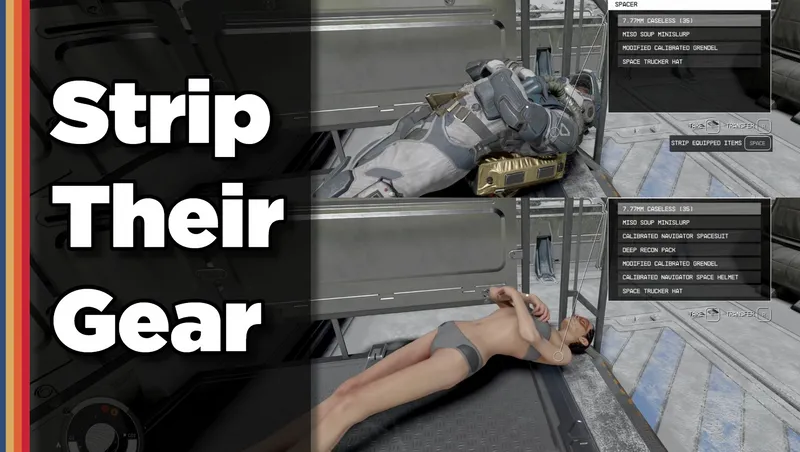
Strip any equipped armor or clothes from your fallen foes! Or simply loot-all with 1 button. Steal items from knocked-out targets instead of pick-pocketing and waking them up!
Quick Actions
Your Rating
Sign in to rate and review this mod—your vote helps the community.
Community Rating
Categories
Mod Information
- Published
- Oct 28, 2025
- Last Updated
- Apr 30, 2026
- Platforms
- Playstation, PC, Xbox
Search Mods
More by S1nderion

Related Starfield Mods