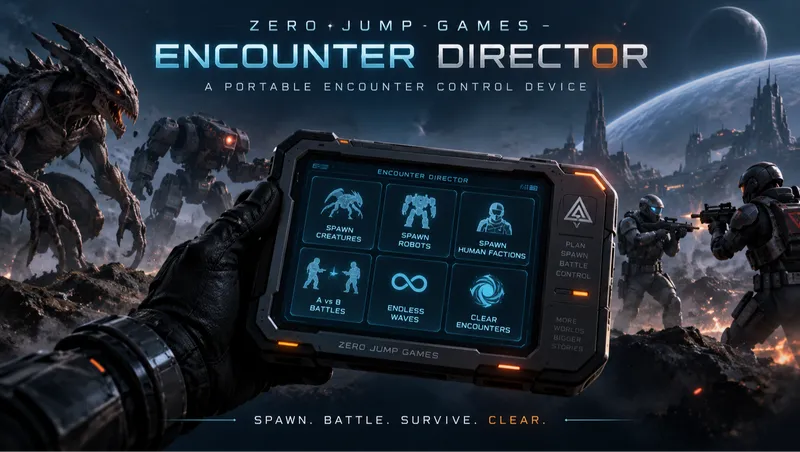
Zero Jump Games - Encounter Director
By XeroxlsLabz
Community Rating
Want a Terrormorph horde to test a new build on? Twenty Crimson Fleet pirates against ten Ashta? A never-ending Ecliptic assault on your outpost? Encounter Director puts all of it on one device in your inventory.
You get a ZJG Encounter Director under Aid. Use it from the inventory or favorite it and open it from the quick wheel, anywhere, at any time. It opens a full terminal-style menu: pick what to spawn, set how, press SPAWN NOW. Your configuration is remembered, so the second spawn is two clicks.
It is built entirely from the game's own terminal and scripting systems. No script extender, no console commands, nothing replaced or overridden in the base game.
What you can spawn
About 2,500 entries, organised so you never scroll one giant list:
- Creatures - Terrormorphs (all variants), every named creature (Ashta, Siren, Aceles, Cataxi, Grylloba, Heatleech, ship infestations and more), and all the fauna of every planet, sorted into Predators, Herbivores, Critters, Flying and Aquatic
- Humans - Crimson Fleet, Spacers, Ecliptic, Va'ruun Zealots, Starborn, The First, Syndicate, Strikers, UC Marines and SysDef, Vanguard, Security, Rangers and others, each by role (Assault, Heavy, Sniper, Charger, Officer, Boss ...)
- Robots & Turrets - Model A, Model S, mini bots, laser and ballistic turrets, by faction
- Bosses - every boss, queen, alpha and officer in one list
- Favorites and Recently Used - mark any actor as a favorite from its spawn screen
- Random Encounter (a random hostile faction squad) and Random Creature
Long lists are split into A-Z ranges. Many actors are also listed by Tier (Tier 01 to Tier 11): these are the game's own fixed-level versions, the reliable way to get a genuinely tougher enemy.
Spawn configuration
Quick settings on the spawn screen, the rest one level down under Advanced Options:
- Quantity - 1, 5, 10, 25, 50 or a custom amount (up to 50)
- Distance - 5, 10, 25, 50 or 100 m
- Direction - Front, Behind, Left, Right, Around Player, At Crosshair, Random
- Formation - Scattered, Circle, Line, Grid, Surround Player, Wave, Random
- Level - Native, Player -25 to Player +100, or an exact level
- Health and Damage - 0.5x to 10x
- Movement speed - 0.5x to 2x
- Aggression - Passive, Defensive, Aggressive, Berserk
- Allegiance - Hostile to Player, Friendly, Neutral, Team A, Team B, Hostile to Everyone
- Corpse cleanup - never, or 15 seconds to 5 minutes
Spawning 25 or more asks for confirmation first (can be turned off).
Battle Builder
Pick an actor and a quantity for Team A and for Team B, set the arena width, choose your own role (Spectator, Team A, Team B, or Hostile to Both) and press START BATTLE. The two sides spawn facing each other and fight it out. Pirates vs Ecliptic, Starborn vs Terrormorphs, robots vs wildlife, fifty Heatleeches vs one absurd 10x Terrormorph.
Continuous Spawn
Choose an actor, how many per wave, the interval (10 seconds to 5 minutes), a cap on how many may be alive at once, and a duration (5, 10, 20 waves, or until stopped). The main menu shows when it is running and has a stop button. Survives saving and loading.
Active Encounter
See how many spawned actors are alive and dead, then Kill All Spawned, Clear Dead Actors or Clear All Spawned. Only actors created by this mod are ever touched. Dead ones are removed automatically after your cleanup delay.
Presets
Six slots. Save the current actor and configuration, then start it again later with one click, load it back into the spawn screen to edit, overwrite or delete it.
Settings
Save the current configuration as your default, maximum active actors (10 to 100), automatic corpse cleanup, notifications, large-spawn confirmation, reset to defaults.
Good to know
- Level scaling is emulated. The game does not let a mod change an actor's level, so a target level scales health and damage instead. For a truly higher-level enemy pick a higher Tier entry, or combine both.
- Planet fauna are listed by planet, for example "Gagarin - Predator 01". The game invents their display names at runtime, so the menu cannot show them.
- At Crosshair uses the ground point you are looking down at. Looking at the horizon or up falls back to the set distance.
- No text search. Typing is not possible in a terminal without a script extender. Favorites, Recently Used and the A-Z ranges are there instead.
- Large groups cost performance, as they would anywhere in the game. The active actor cap (default 50) is there for that reason.
- Aquatic creatures spawned on land, or huge creatures indoors, behave as you would expect them to. Use some judgement.
- Spawned enemies give normal XP and loot.
Compatibility
- Requires only the base game. No DLC, no other mods.
- Adds new records only. It does not edit any base-game record, so it does not conflict with other mods.
- Actors added by DLC or other mods are not in the lists.
- Safe to add to an existing save. Before removing it, use Clear All Spawned and stop Continuous Spawn.
How to use
- Load your game. "ZJG Encounter Director" appears under Aid in your inventory.
- Favorite it for quick access, or use it straight from the inventory.
- Spawn > pick a category > pick an actor > SPAWN NOW.
Changelog
1.0.0 - Initial release.

Release notes
Xbox
-
1.0.0Initial Releases
PC
-
1.0.0Initial Releases
Quick Actions
Your Rating
Sign in to rate and review this mod - your vote helps the community.
- Published
- Sep 20, 2026
- Last Updated
- Sep 20, 2026
- Platforms
- PC, Xbox
Explore more Starfield creations for Gameplay. Browse all Gameplay mods →
TN's Class Warfare
Class Warfare aims to add meaningful changes to the different ship classes so that M and C class ships are much more tanky and slow, while A class ships are much more nimble.
Nova's Loot Overhaul
Heavily reduced ammo, aid items, chems, food, drinks, and legendary items throughout the game. Comes with Gameplay Options to configure the percentages.
BNW Static Clutter
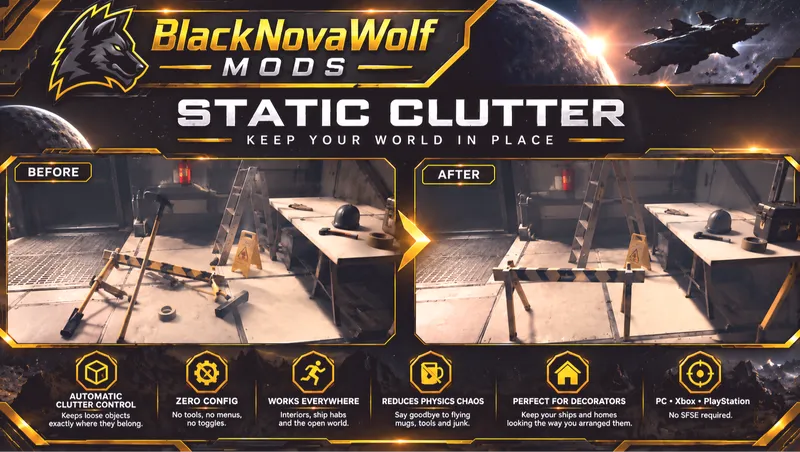
BNW Static Clutter automatically prevents ordinary loose clutter and miscellaneous world objects from being knocked around by physics.
Exit Ship To Vehicle
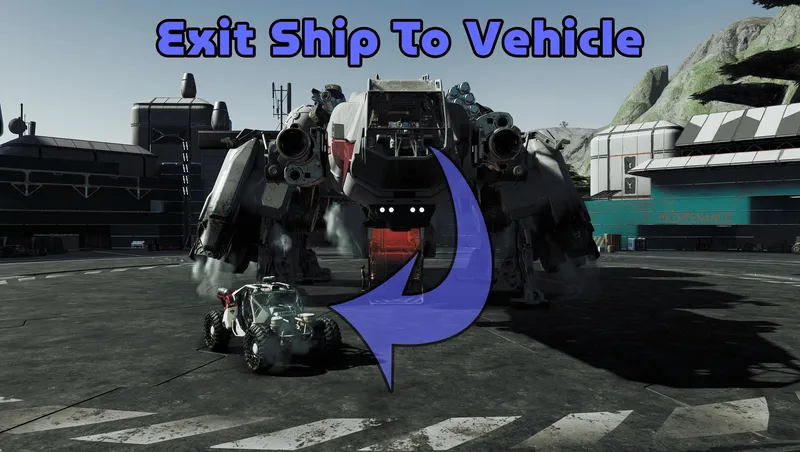
Teleports you directly in to your active land vehicle when exiting your ship.
Immersive Simplified Crafting - a GRiNDTerra Mod
Simplifies all crafting and research projects in an immersive yet satisfying way.
Explore more Starfield creations for Creatures. Browse all Creatures mods →
2026 New Combat Animations (ragdolls)– no cheesy death animations
Realistic Death Physics (ragdolls)– No death animations or emotes - only instant ragdoll on death, they "drop dead" literally. Finally for starfield as there are mods like this for fallout 4 and sk...
DarkStar Integration - Vigilance
This mod is an INTEGRATION PATCH. Both of these mods work just fine side by side without this patch. What this mod accomplishes is full integration between the original and DarkStar, so that the origi...

DarkStar Integration - Trackers Alliance The Lovers
Full Integration patch for the quest The Lovers from the Trackers Alliance