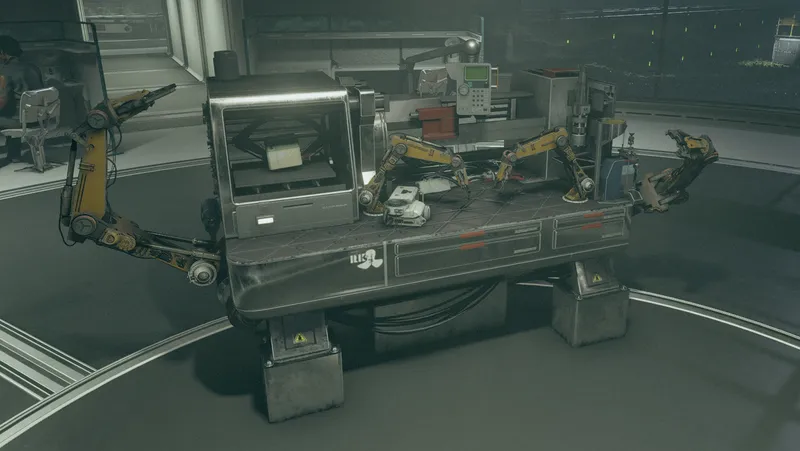
Robot Engineering
By senter.pat
Community Rating
Robot Engineering
Bring your own army.
Robot Engineering introduces a powerful new gameplay system that lets you craft, salvage, customize, and command deployable robots. Choose their weapons, armor, color, name, and special mods to create your perfect mechanical ally—or an entire squad of them. Deploy them anywhere! Assign to crew ships/outposts or act as a follower!
With the Robot Engineer perk, you’ll unlock a new fabrication system and a dedicated workbench where you can build and modify robot frames from scratch. A "cheat" gameplay option will allow you to instantly max out the perk, complete all associated research, and add a large selection of items to Jemison Mercentile.
Enemies you defeat have a chance to drop rare robot frames or loose robot mods. You can also find frames and mods at Apex Electronics and certain cargo trade ships. These parts are intentionally rare, encouraging scavenging and exploration.
Deployable Robots
Robot frames appear in your “Weapon” inventory category and must be equipped to deploy—don’t worry, this doesn’t unequip your weapon.
Once deployed:
- Robots follow and assist you in combat.
- Robots can carry your loot.
- Robots can be assigned to crew slots on ships and outposts, letting you automate your operations without pesky humans.
- Robots can be issued orders using hotkeys when scrolling over them.
- A "Robot Control Terminal" is added to your misc items. This item will let you control multiple bots at once.
Power Management
Every robot requires power, provided by a battery mod installed at the Robotics Fabricator.
- Batteries automatically recharge in safe zones: cities, settlements, your ship, and outposts.
- In the field, recharge via the Maintenance Menu using Charge Packs, Positron Batteries, or 3kV ammo.
- If a robot runs out of power, it shuts down completely until recharged or fitted with a new battery.
Packing a robot back into its frame consumes its battery, requiring a fresh one on redeployment. Alternatively, if you have loose battery mods, you can re-equip them directly through the Maintenance Menu. A setting exists to disable battery removal, but packing and unpacking will refill a robots power level.
cV System
cV is your command bandwidth. Each robot consumes a portion of your total cV based on its complexity.
- You start with 3 cV by default.
- Each rank of the Robot Engineering perk increases your maximum cV.
- The Technovert trait adds +1 permanent cV.
- Specialized neuroamps can further raise your capacity.
- Player can view their cV level in the status menu, at the robot workbench, or when using the robot control terminal.
You can mix and match robots as long as you stay within your cV limit. For example, with 10 cV you can control 3 robots at 3 cV each, or 2 bots at 5 cV, etc.
Robot Damage and Recovery
- Robots will slowly recover health in cities, settlements, outposts, and players ship.
- In the field you can repair bots using Robot Repair Parts.
If a robot’s health reaches zero:
- Equipped mods are lost at random.
- It can be repaired using Robot Repair Parts.
- Be aware: leaving a broken robot behind may result in it despawning.
Modding and Customization
Robots are fully modular and can be upgraded at the Robotics Workbench, or fitted with salvaged loose mods.
Universal Mods:
- Plating – Changes the bot’s material, affecting resistances, speed, defense, and power usage.
- Chassis – Affects carry weight and storage.
- Battery – Provides energy capacity and sometimes bonus effects.
- Weapon – 12 unique weapon systems to choose from.
- Weapon Modifier – Alters performance with effects like bonus damage types or fire rate boosts.
- Paint – Every robot has at least 8 cosmetic skin options.
Model-Specific Mods:
Teenybombs – Tiny suicide drones that explode on contact.
- Deployed by throwing. Explodes both at launch and impact.
- Targets player’s enemies in priority order.
- Explosive Payload mod lets you choose the blast type.
Pylons – Stationary field emitters.
- Deploy a persistent energy field with various effects via Field Deployment.
Boxbots – Based on the Minibot line, includes Teenybot and Megabot variants.
- Field Deployment locks them in place while they project powerful effects.
- Field Deployment can be automatted to allow bots to automatically deploy in combat when player is in range.
- Painting your Boxbot with Gardening or Sanitation schemes grants it the outpost perk.
Model A – Classic humanoid robots with versatile loadouts.
- Dual weapon support and AI Processor installation.
- Some variants provide built-in utilities: cooking, industry, pharma healing.
- Can expend power to heal the player.
AXL (Model A – Extra Large) – Heavy-duty battle units that border on mechs.
- No processor, but high power and defense stats.
Model S – Streamlined variants with customizable limb enhancements.
Turrets – Micro, Light, and Heavy turrets.
- Static defense bots with two weapon mod slots.
Synths – Highly advanced humanoid units.
- Can equip any weapon or outfit.
- Supports two AI processors.
- Extensive cosmetic options available.
Robot Control & Maintenance
Activate any robot to open its control menu. From here, you can:
- Use special abilities
- Access inventory
- Assign/Unassign it to a ship or outpost
- Open the Maintenance Menu
The Maintenance Menu allows you to:
- Repair damage
- Recharge the battery
- Rename your robot
- Pack it into its frame for redeployment
================================== Perk, Trait, and Background
Robotic Engineering (perk)
From servo to CPU, you know every bolt and byte. Gain the ability to fabricate and deploy functional robotic units.
Each rank unlocks new robot engineering research projects and increases players cV by 1.
Technovert (trait)
Why make friends when you can make robots? Permanently gain +1 cV and begin the game with a set of pre-modded robot frames.
Tinkerer (background)
Since you can remember you've taken things apart to see how they work. Luckily, that has turned into a lucrative career. (+1 Robotic Engineering, Commerce, Scavenging & Crafted robots have +5% health.)
================================== Conflicts
This mod alters vanilla manufacturing recipes by adding a visibility condition that hides them from the robotics workbench. If you want another mod to override this, load it after Robot Engineering.
Note: This mod uses vanilla robot races. Mods that change robot races may affect stats or behavior.
================================== Known Issues
Robots have a standard world object for each variant, colors shown in the robotics bench when painting may differ on the actual bot once deployed. This is restricted to slight variations, so you won't build blue and it come out red, but it may be a different shade of blue.
Due to modding limitations, new workbenches cannot be added. Robot Engineering uses the Industrial and Weapons benches; its recipes will appear only under the Robotics Bench filter, but vanilla recipes will still be visible beneath unless using a mod like NWEF.
Also note: robot stat previews during modding are estimated using simulated calculations within the custom system.

Release notes
Xbox
-
1.10Fixed minor errors
-
1.09Fixed description on processors being wrong.
Fixes Aneutronic Fusion weight bug -
1.08Packed in missing quest script fragment
Fixed spelling error
Fixed cheat setting causing crashing -
1.07-Removed leftover debug notications from scripts (only affected PC players)
-Fixes the Robot Control Terminal visibly equipping an item onto the player. This should also fix the message not displaying on subsequent attempts.
-Fixes robot deployment not properly tracking cV usage.
-The order menu will automatically close when issuing an order now, issuing a targeted order (move to/attack/inspect/use) will still require you "cancel" the order. I'm having trouble finding a way to detect those orders being given.
-Fixes a couple of misnamed deployment field mods as well as a couple of deployment field recipes outputting incorrect objects.
-Fixes an error in the control items script.
-Added additional failsafes to ensure proper cV tracking.
-Added function to prevent robots running at you when issuing an order. -
1.06Fixed ba2 having psc instead of pex scripts
-
1.06Changes
Added in game display for cV values. Players max cV can be observed in the status effects list. The workbench and robot control menus will display the players current/max cV.
Added an option to the maintenance menu for boxbots to allow them to automatically deploy their shields when in combat and player is in range.
Added a few tutorial pop-ups to help clarify things for players and a gameplay option that can prevent them.
Added a control device that can let you issue orders to all your robots at once. The "Robot Control Terminal" is automatically added when deploying a robot if you don't have a terminal already.
Pylons now deploy with their field turned on by default.
Set up a new system for giving robots orders. It now appears as a hotkey next to the default "activate" rather then piggy backing off of the social skills system.
Added cheat gameplay setting to grant perk and complete research.
Added a new gampeplay option to disable the battery removal function.
Fixes
Fixed several incorrect values on the robots, most notably speed on multiple models being set super low.
Fixed incorrect conditions on a few recipes and research projects.
Removes death loot from player owned robots that still had it.
Added a failsafe to the script that prevents the wrong frame from deploying if there a multiples of the same type.
Fixed a couple of menu options not appearing under the correct conditions and added some additional clarification to the robot activation menu.
Fixed being able to use robot crafting stations and abilities when they are powered down.
Fixed player cV tracking messing up when player deploys a robot with no battery.
Fixed some robots requiring ammo to use embedded weapons.
Fixed boxbots not always emitting their field when deployed.
Fixed AI data on Synth's to make them engage enemies properly.
-
1.05Fixed AI data on Synth's to make them engage enemies properly.
Fixed incorrect item requirement on the Security AXL
Added cheat gameplay setting to grant perk and complete research -
1.04QA fixes
-
1.03QA Fixes
-
1.02QA Fix
-
1.01QA Fixes
-
00Upload Issue
-
1.00QA Release
PC
-
1.10Fixed minor errors
-
1.09Fixed description on processors being wrong.
Fixes Aneutronic Fusion weight bug -
1.08Packed in missing quest script fragment
Fixed spelling error
Fixed cheat setting causing crashing -
1.07-Removed leftover debug notications from scripts (only affected PC players)
-Fixes the Robot Control Terminal visibly equipping an item onto the player. This should also fix the message not displaying on subsequent attempts.
-Fixes robot deployment not properly tracking cV usage.
-The order menu will automatically close when issuing an order now, issuing a targeted order (move to/attack/inspect/use) will still require you "cancel" the order. I'm having trouble finding a way to detect those orders being given.
-Fixes a couple of misnamed deployment field mods as well as a couple of deployment field recipes outputting incorrect objects.
-Fixes an error in the control items script.
-Added additional failsafes to ensure proper cV tracking.
-Added function to prevent robots running at you when issuing an order. -
1.06Fixed ba2 having psc instead of pex scripts
-
1.06Changes
Added in game display for cV values. Players max cV can be observed in the status effects list. The workbench and robot control menus will display the players current/max cV.
Added an option to the maintenance menu for boxbots to allow them to automatically deploy their shields when in combat and player is in range.
Added a few tutorial pop-ups to help clarify things for players and a gameplay option that can prevent them.
Added a control device that can let you issue orders to all your robots at once. The "Robot Control Terminal" is automatically added when deploying a robot if you don't have a terminal already.
Pylons now deploy with their field turned on by default.
Set up a new system for giving robots orders. It now appears as a hotkey next to the default "activate" rather then piggy backing off of the social skills system.
Added cheat gameplay setting to grant perk and complete research.
Added a new gampeplay option to disable the battery removal function.
Fixes
Fixed several incorrect values on the robots, most notably speed on multiple models being set super low.
Fixed incorrect conditions on a few recipes and research projects.
Removes death loot from player owned robots that still had it.
Added a failsafe to the script that prevents the wrong frame from deploying if there a multiples of the same type.
Fixed a couple of menu options not appearing under the correct conditions and added some additional clarification to the robot activation menu.
Fixed being able to use robot crafting stations and abilities when they are powered down.
Fixed player cV tracking messing up when player deploys a robot with no battery.
Fixed some robots requiring ammo to use embedded weapons.
Fixed boxbots not always emitting their field when deployed.
Fixed AI data on Synth's to make them engage enemies properly.
-
1.05Fixed AI data on Synth's to make them engage enemies properly.
Fixed incorrect item requirement on the Security AXL
Added cheat gameplay setting to grant perk and complete research -
1.04QA fixes
-
1.03QA Fixes
-
1.02QA Fix
-
1.01QA Fixes
-
00Upload Issue
-
1.00QA Release
Quick Actions
Your Rating
Sign in to rate and review this mod - your vote helps the community.
- Published
- Aug 19, 2025
- Last Updated
- Nov 04, 2025
- Platforms
- PC, Xbox

Explore more Starfield creations for Gameplay. Browse all Gameplay mods →
Nova's Loot Overhaul
Heavily reduced ammo, aid items, chems, food, drinks, and legendary items throughout the game. Comes with Gameplay Options to configure the percentages.
BNW Static Clutter
BNW Static Clutter automatically prevents ordinary loose clutter and miscellaneous world objects from being knocked around by physics.
Exit Ship To Vehicle
Teleports you directly in to your active land vehicle when exiting your ship.
Immersive Simplified Crafting - a GRiNDTerra Mod
Simplifies all crafting and research projects in an immersive yet satisfying way.
True Environmental Protection
BNW TRUE ENVIRONMENTAL PROTECTION Environmental resistance should mean environmental protection. Starfield normally caps Radiation, Corrosive, Airborne and Thermal resistance at 85, meaning equi...
Explore more Starfield creations for Outpost. Browse all Outpost mods →
Modulated Harvesters
Selectable 1x, 2x, 5x, 10x, and 20x outpost harvester rates with matching power scaling, optional outpost calibration, and persistent increased-rate production accounting.

Sumati Surpassed
Terraforms the beautiful planet, Sumati, making human habitation possible without a spacesuit. Breathe deeply and enjoy the lush wilderness and panoramic views!
Sanctuary - Home and Outpost Habs.
A F04 lightly inspired player home and outpost hab set; with working/animated features: Showers, Bathtub, Jukebox, Kitchen Appliances, Auto-Doc, Shooting Range, Pool House, ect.
Immersive Simplified Crafting - a GRiNDTerra Mod
Simplifies all crafting and research projects in an immersive yet satisfying way.
Frontier Logistics - Chasmbass Aquaculture
Build a complete Chasmbass Oil industry for your outposts. Collect genetic samples, research aquaculture, and produce oil in a powered tank.
WILLNY4 DOMESTICATE ALL 2
Expand outpost life with more domesticable flora and fauna, new greenhouse and animal husbandry signs, scan options, and longer scanner range.
Explore more Starfield creations for Followers. Browse all Followers mods →
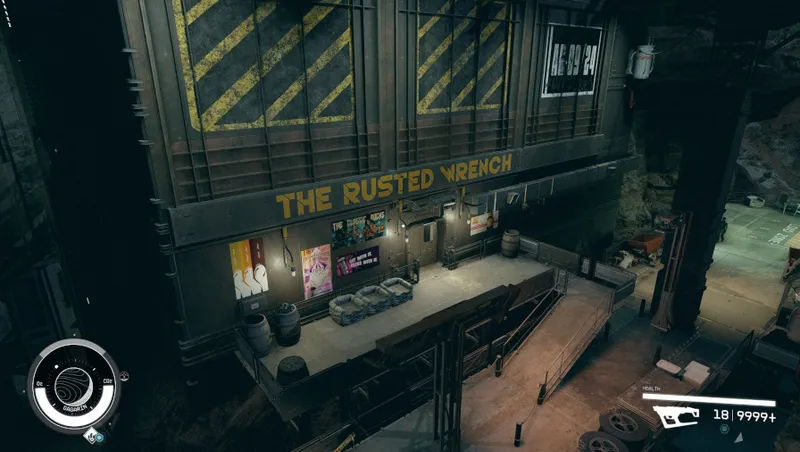
The Rusted Wrench
Get involved in the lives of the people at The Rusted Wrench, complete quests, earn rewards, hire powerful companions, and enjoy its unique industrial atmosphere and music.
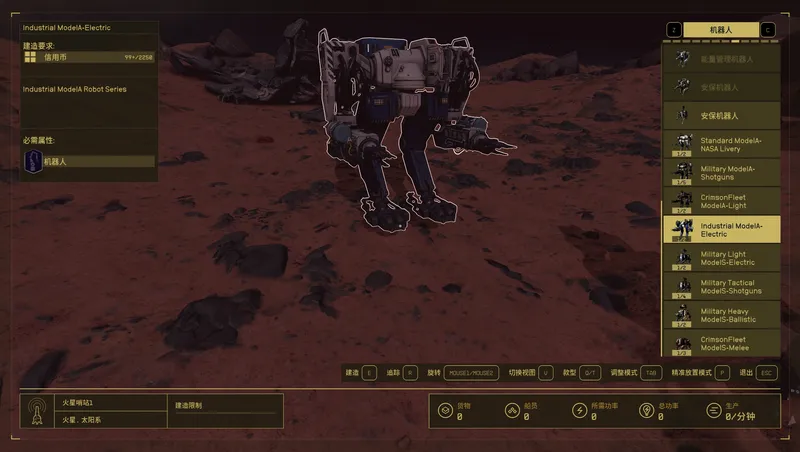
Robot Legion
Allows players to build 25 new types of robots at Outposts, Homes, and Ships.


Andreja personal and commitment quest fixes
This is a fix for Andreja's personal and commitment quests where the mission starts but then stops and the quest disappears from the journal.