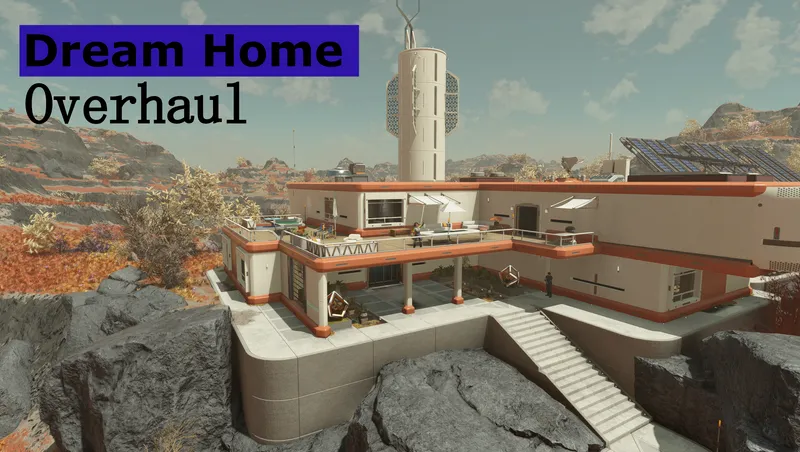
Dream Home Overhaul
Community Rating
IMPORTANT
It is recommended to use this mod when starting a new game or NG+, otherwise various issues might occur like terrain glitches, quest progression not working, floating/misplaced items, double doors and other weird behavior. It seems the game doesn't like the changes made to this location on an existing character. More details can be found in the Issues section down below.
Currently the Armillary room is not working properly. I recommend not using it until I have fixed it!
Overview
This overhaul moves the interior space of the Dream Home onto the planet Nesoi itself! Furthermore, a couple of new buildings have been placed outside including a variety of amenities such as a working Ship Builder panel. To unlock the Dream Home you must have the Dream Home trait. If you find any issues or have suggestions, please let me know!
Features
- Full interior moved onto the planet itself (except the basement)! You can now enjoy the gorgeous view of Nesoi out of your Dream Home's windows.
- The area itself can be further decorated like any other player home!
- I was not able to turn it into a fully working outpost that would allow to assign crew and cargo links, so for the time being the space will behave like any other player home.
- Working shutters on all windows in the home, to use them use the panels next to them.
- Swap between Female and Male mannequins in-game via the press of a button, located next to the basement door.
- Transfer Container with unlimited storage and multiple more storage crates.
- All inventories and workbenches are connected with each other, meaning you can access their content from the workbenches
- You can even use the Transfer Containers inventory for the basements workbenches.
- This does not apply to the building menu itself, I couldn't get that working yet without the ability to remove items.
- Custom bookcases, fridge and dresser for storing your beloved items!
- A secure vault (with a cool vault door!) that houses ample storage for items, Spacesuits and weapons.
- Lots of markers for your companions to engage in activities around the house and other parts of the exterior.
- Various defense around the property, including turrets, guards and robots.
- A nice looking landing pad!
- A "Landing Services" building next to the landing pad including:
- A Vendor Kiosk that buys all your items (except stolen ones, common it can't be too easy!) and sells you ammunition.
- A fully working Ship Builder panel.
- Bounty Clearance, Constellation and general mission board.
- A terminal located in the vault and next to the entrance door upstairs allows for dismissing/deploying the guards, robots and workers individually
- Once the vanilla conditions are met to build the Armillary yourself you can build an Armillary Room via this terminal as well. So far in my testing both placing and removing the room works, artifacts are properly removed and added to the player inventory.
- This was quite difficult to get to work (at least for me) and if you run into any issues please let me know!!
Installation
Before you install this mod, make sure you remove all placed objects and clear any inventories in the house! This also goes if you used my previous "Dream Home - Furnished" mod!! Head to Venus and wait for 24 hours before going to your new home!
Compatibility
- Not compatible with any mod that modifies that area of the game
- Not compatible with my previous "Dream Home - Furnished" mod, which I have also taken down.
Performance
The interior part of the house itself contains around 2000 items plus the additional exterior buildings and NPCs. I haven't noticed any performance impact on my end (using a RX 6800 XT and Ryzen 9 5950X) however on lower end systems or console you might notice it. If you can provide any info on that please let me know and I update this section!
Updating the Mod
Updates usually don't touch any of the storage containers and objects, but to be on the safe side I recommend removing all items from any storage containers and objects, leaving the area and then update the mod to avoid any issues. FOR PC: To make the emptying less of a problem, enable godmode via the command tgm in the console (to open the console hit the tilde key, or ö on German keyboards. No idea what the key for other languages is) This removes any weight limit. To disable it, just type tgm again or reload.
Issues
If you load up the area for the first time, it can happen that objects are out of place or you have duplicated doors and other weird things. Make sure you waited 24 hours on Venus (for the cell to reset) and then enter the area. However to solve the duplicated doors and other duplicated or out of place static objects, simply save in the area and restart your game. If you're on console, I got a couple reports that after saving you also need to restart the entire console for it to work properly. NOTE: If you're installing the mod and then start a new game, the above steps are not needed. Only if you install this mod for an existing character.
UPDATE: Some people have reported issues like doors not being intractable from the inside, the NavMesh not working correctly or objects being out of place/broken. I took multiple looks at the mod in CK in attempts to fix these issues, but everything is setup correctly and I am not able to reproduce these on my end. Seeing that other issues I am able to reproduce but can't fix (since these things are also all setup correctly in the CK) are no longer present when starting a new game or NG+ I recommend using this mod on a new game or NG+.
Support
If you run into issues or have feedback, please join my Discord server: discord.gg/qVRcJNGJ69 I am also in the official BGS Discord as well as the Starfield Modding Discord!
Release notes
Playstation
-
2.10a- Added PlayStation support
PC
-
2.10a- Added PlayStation support
-
2.10Added Distant LODs
-
2.9- Added Armillary to the build menu
- Upgrade coffee machine
- Added functional tea brewer
- Added functional mirror to bedroom
- Fixed floating trees near the transfer container -
2.8- REMOVE THE ARMILLARY ROOM VIA THE MASTER CONTROL TERMINAL BEFORE UPDATING
- Fixed a typo in the Master Control Terminal
- Fixed misplaced light cone in the basement
- Removed the Armillary room
- Added enahnce menu to both bathroom mirrors
- Added a working coffee machine to the kitchen
- Fixed navmesh issues inside the house -
2.7Fixed yet another issue preventing sleeping/waiting at the Dream Home
-
2.6- The Wall to the Armillary room gets properly removed now once the room is build
- If you already built the room, remove and add it again
- It is now possible to remove furniture and decorations from both bathrooms and the kitchen
- Replaced one bench press with pull up bars for variety -
2.5- Added a garage for vehicles next to the ship services building
- I left the garage empty on purpose to allow for bigger custom vehicles to fit inside as well
- Garage can be disabled/enabled like any other exterior addition -
2.4- Fixed wrong sound space in the upper bathroom
- Added toggles for interior and exterior turrets -
2.3- Fixed the bed giving a trespassing warning
-
2.1- The Dream Home quest should start properly now
- The Med kit in the exterior workshop and interior basement no longer respawn. Its safe to put stuff in there now! -
2.1Removed the requirement to pay 500 Credits each week to enter the house. The doors should always be unlocked now.
-
2.0- Updated landing marker to 80m (Large ships may cause clipping with surroundings)
- Lightning Pass
- Turrets/Guards/Robots no longer shoot neutral animals unless you attack first
- Yet another attempt to fix the Dream Home Quest visit stage
- Updated local map (its a little wonky and also still shows deleted stuff)
- Removed remaining terrain clipping insde the house
- Furniture for all rooms can be enabled/disabled via the Master Control Terminal which can be found next to the door and in the vault
- All exterior additions can be enabled/disabled via the Master Control Terminal which can be found next to the door and in the vault
- !!! PLEASE READ THE UPDATE INSTRUCTIONS ON THE MAIN PAGE !!!
-
1.3Attempt to fix non-interactable doors and quest progression
-
1.2- Fixed missing link between research station and inventory
- Added two terminals in the vault and living room which allow to dismiss/deploy the guards, robots and workers. The terminal also allows building an Armillary room once the conditions are met -
1.1The Dream Home quest should now properly update when entering the home for the first time.
-
1.00Overhaul of the Dream Home. Moved the homes interior into the exterior cell of Nesoi. Added several buildings outside which contain all workbenches, a vendor and a ship builder. Various guards and security patrol your home. And many more small details to make it look like a small outpost!
Xbox
-
2.10a- Added PlayStation support
-
2.10Added Distant LODs
-
2.9- Added Armillary to the build menu
- Upgrade coffee machine
- Added functional tea brewer
- Added functional mirror to bedroom
- Fixed floating trees near the transfer container -
2.8- REMOVE THE ARMILLARY ROOM VIA THE MASTER CONTROL TERMINAL BEFORE UPDATING
- Fixed a typo in the Master Control Terminal
- Fixed misplaced light cone in the basement
- Removed the Armillary room
- Added enahnce menu to both bathroom mirrors
- Added a working coffee machine to the kitchen
- Fixed navmesh issues inside the house -
2.7Fixed yet another issue preventing sleeping/waiting at the Dream Home
-
2.6- The Wall to the Armillary room gets properly removed now once the room is build
- If you already built the room, remove and add it again
- It is now possible to remove furniture and decorations from both bathrooms and the kitchen
- Replaced one bench press with pull up bars for variety -
2.5- Added a garage for vehicles next to the ship services building
- I left the garage empty on purpose to allow for bigger custom vehicles to fit inside as well
- Garage can be disabled/enabled like any other exterior addition -
2.4- Fixed wrong sound space in the upper bathroom
- Added toggles for interior and exterior turrets -
2.3- Fixed the bed giving a trespassing warning
-
2.1- The Dream Home quest should start properly now
- The Med kit in the exterior workshop and interior basement no longer respawn. Its safe to put stuff in there now! -
2.1Removed the requirement to pay 500 Credits each week to enter the house. The doors should always be unlocked now.
-
2.0- Updated landing marker to 80m (Large ships may cause clipping with surroundings)
- Lightning Pass
- Turrets/Guards/Robots no longer shoot neutral animals unless you attack first
- Yet another attempt to fix the Dream Home Quest visit stage
- Updated local map (its a little wonky and also still shows deleted stuff)
- Removed remaining terrain clipping insde the house
- Furniture for all rooms can be enabled/disabled via the Master Control Terminal which can be found next to the door and in the vault
- All exterior additions can be enabled/disabled via the Master Control Terminal which can be found next to the door and in the vault
- !!! PLEASE READ THE UPDATE INSTRUCTIONS ON THE MAIN PAGE !!!
-
1.3Attempt to fix non-interactable doors and quest progression
-
1.2- Fixed missing link between research station and inventory
- Added two terminals in the vault and living room which allow to dismiss/deploy the guards, robots and workers. The terminal also allows building an Armillary room once the conditions are met -
1.1The Dream Home quest should now properly update when entering the home for the first time.
-
1.00Overhaul of the Dream Home. Moved the homes interior into the exterior cell of Nesoi. Added several buildings outside which contain all workbenches, a vendor and a ship builder. Various guards and security patrol your home. And many more small details to make it look like a small outpost!
Additional Screenshots Available
This mod has 12 additional screenshots available on the official Bethesda.net page.
View All Screenshots on Bethesda.netYouTube Videos
Community Rating & Feedback
No reviews with comments yet.
Be the first to leave a review!
Related Starfield Mods
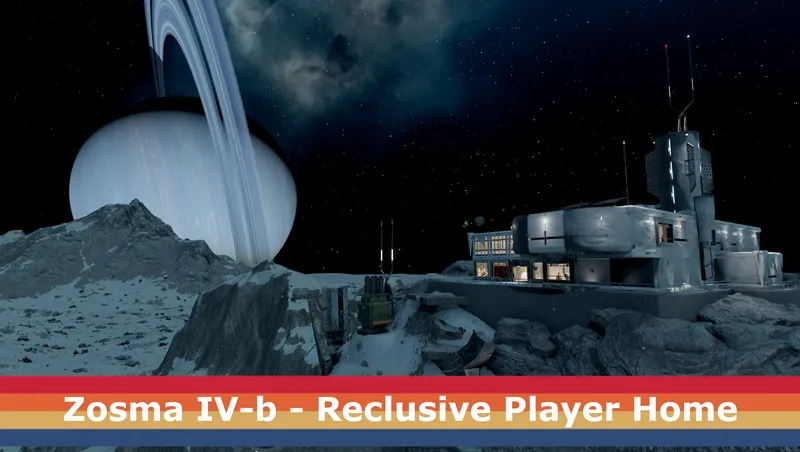
By DownfallNemesis • 1 year ago
This mod adds a new player home on the frozen moon Zosma IV-b, located in the Zosma system.
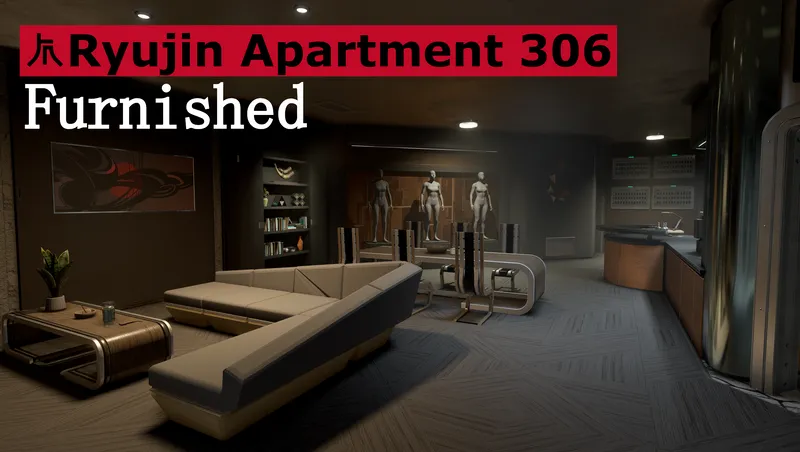
By DownfallNemesis • 2 years ago
Furnished version of Ryujin Apartment 306 by @mwgyn! For those who are frustrated with the lack of furniture and decorations the game gives us, or simply are too lazy to decorate.
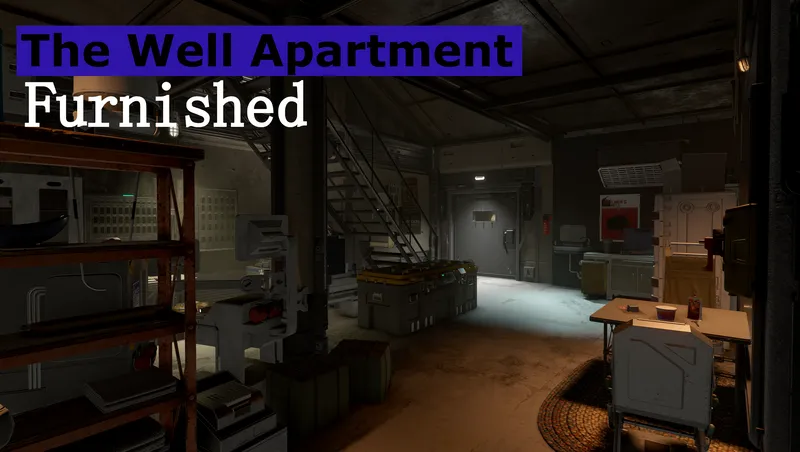
By DownfallNemesis • 2 years ago
Furnished version of The Well Apartment! For those who are frustrated with the lack of furniture and decorations the game gives us, or simply are too lazy to decorate themselves.
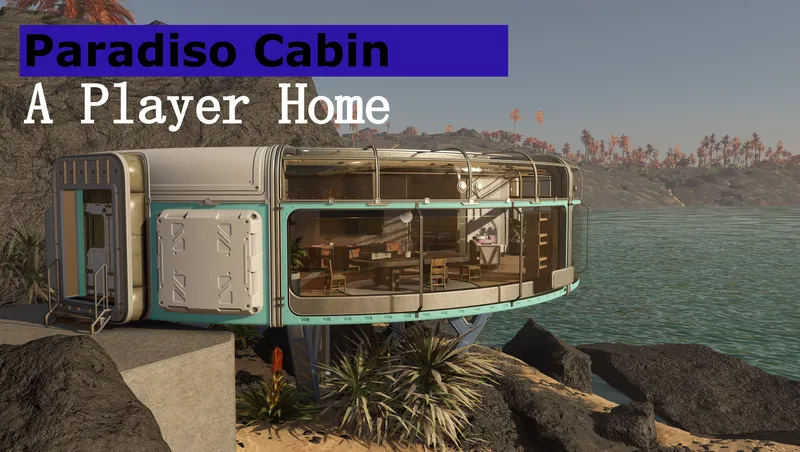
By DownfallNemesis • 2 years ago
Features a custom free cabin on Paradiso which fully acts as player home , including the in-game build menu and already furnished.
Quick Actions
Your Rating
Sign in to rate and review this mod—your vote helps the community.
Community Rating
Categories
Mod Information
- Published
- Jun 30, 2024
- Last Updated
- Apr 09, 2026
- Platforms
- Playstation, PC, Xbox
Search Mods
More by DownfallNemesis
Related Starfield Mods