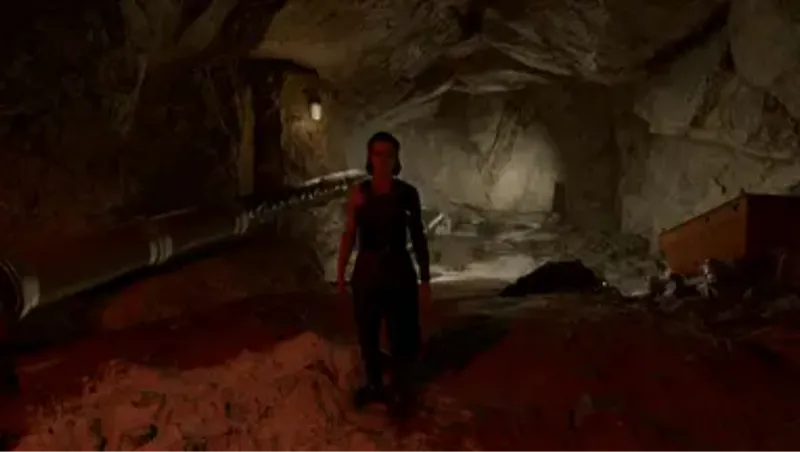
SGS LUT - Strength 0
By gotdragon990
Community Rating
Credits: sgsrules Proof of permissions: https://www.nexusmods.com/starfield/mods/595?tab=description
Custom LUTs that alter the color grading in the game, providing better contrast, deeper blacks, and more neutral colors while maintaining the original artistic vision. This is not a Reshade Preset.
SGS's LUTs - Enhanced Color Grading and Black Levels for Starfield
Overview
This mod fine-tunes the color grading in Starfield, offering enhanced contrast, deeper blacks, and more balanced colors while retaining the game's original artistic vision. It accomplishes this by adjusting the Look-Up Tables (LUTs). Unlike the Neutral LUTs Mod , which fully removes the original color grading, this mod selectively scales the intensity of the original LUTs to achieve a more balanced visual experience.
Features
Multiple Variants: Choose from different mod flavors to suit your preference. 0% Strength: Utilizes a completely neutral LUT for each area. (Pictured) 25% Strength: Combines 25% of the original LUT with a neutral one. (Not Pictured, use you imagination) 50% Strength: Mixes 50% of the original LUT with a neutral one. (Recommended) (Pictured) 75% Strength: Incorporates 75% of the original LUT with a neutral one. (Not Pictured, use you imagination) Luma: Retains the original color while maintaining the Luma values of a neutral LUT. (Pictured) Luma 50% Strength: Per user request, the Luma LUTs at 50% Strength. (Not Pictured)
Please Note
This is not a ReShade preset; it directly modifies the game's textures. I've employed a script to process the original LUTs, rather than manually crafting them for each environment. This is why multiple variants are available, allowing you the freedom to mix and match according to your preferences. Due to time constraints, I won't be able to fine-tune all 254 LUTs individually. Nonetheless, this mod serves as a solid starting point. The mod doesn't affect Photo Filters or UI LUTs. To revert to the original LUT in specific areas, simply delete the corresponding replacement file. Being texture files, they pose no risk to your game.
Installation Guide
Important: Unlike previous games, textures for Starfield are loaded from your Documents folder, not the \data\ folder.
1. Download: Choose one of the mod variants. The 50% Strength variant is recommended for a balanced experience. 2. Extract the Mod Files: unzip the Data folder into Documents\My Games\Starfield. Enter %userprofile%\Documents\My Games\Starfield in the Windows Explorer address bar to easily reach it. 3. Configure: Add the following lines to your StarfieldCustom.ini file file located in the above directory. Create a new one in the same directory if it doesn't exist:
[Archive] bInvalidateOlderFiles=1 sResourceDataDirsFinal=
Uninstallation Guide Delete the mod files located at: %userprofile%\Documents\My Games\Starfield\Data\textures\effects\luts
Release notes
Xbox
-
1.00== Describe this release ==
Additional Screenshots Available
This mod has 4 additional screenshots available on the official Bethesda.net page.
View All Screenshots on Bethesda.netYouTube Videos
Community Rating & Feedback
No reviews with comments yet.
Be the first to leave a review!
Related Starfield Mods
By shadedness • 2 years ago
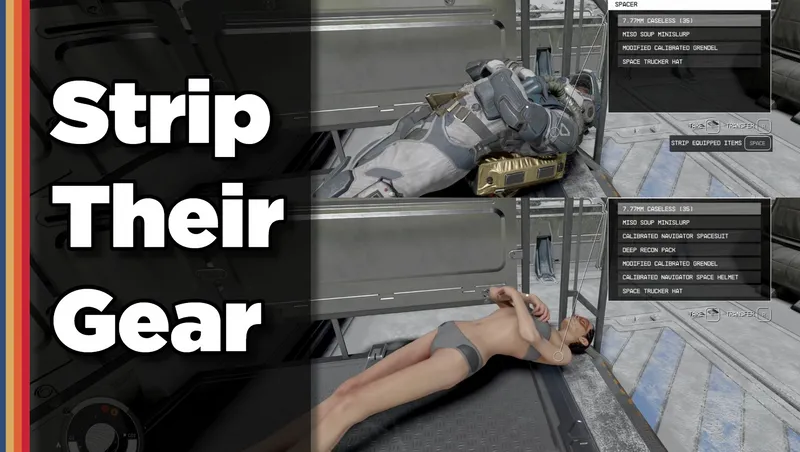
Strip any equipped armor or clothes from your fallen foes! Or simply loot-all with 1 button. Steal items from knocked-out targets instead of pick-pocketing and waking them up!
By S1nderion • 6 months ago
A minimalist rework of Environmental Damage and Hazard gameplay in Starfield.
By rux616 • 1 year ago
A framework allowing mod authors to easily add ships for sale without conflicts.

By CommunityPatch • 2 years ago
A community-driven mod fixing bugs, errors and inconsistencies in Starfield.
Quick Actions
Your Rating
Sign in to rate and review this mod—your vote helps the community.
Community Rating
Categories
Mod Information
- Published
- Apr 23, 2026
- Last Updated
- Apr 23, 2026
- Platforms
- Xbox
Search Mods
More by gotdragon990
Related Starfield Mods