Pegasus Home & Garden
By Star_Pegasus
Community Rating
Pegasus Home & Garden adds new items in a separate build menu tab. Items are grouped in coordinated sets or by function, and credits are required for building, with price tiers corresponding to scale and/or functionality.
Interior furniture and decor for outposts, player homes, and ships:
- Furniture for all major areas: Living, Kitchen, Dining, Office, Bedroom, Bath, and Utility.
- Accent Decor: wall art, rugs, dividers, tabletop items. Note: a couple of items are gated by main quest progress. (Details below)
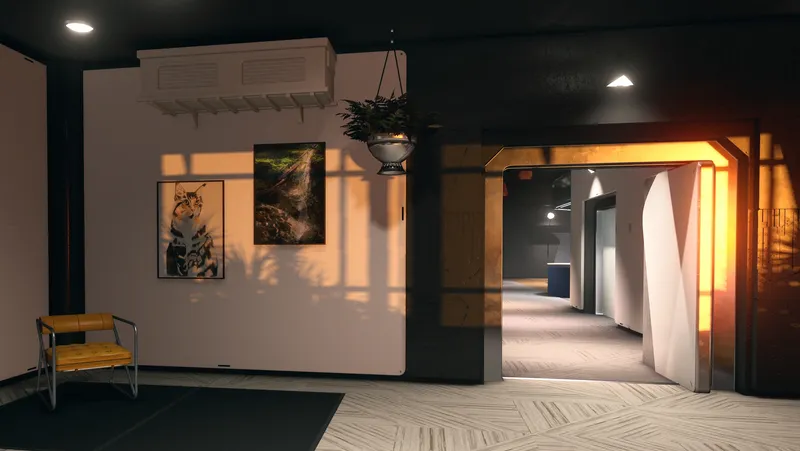
- Featuring modern styles and soothing colors, to create inviting spaces in light, bright, and airy and warm, grounded moods.
- Integrated storage for functionality and snaps for easy stacking and grouping.
Outdoor living structures and additional items for outposts only, as well as furnishings that are available in homes/ships:
- Deck System: Structural components and individual pieces with snaps, in supported and floating variants. Build custom shelters, gazebos, and multi-level structures using attachment points for floors, railings, stairs, and roof pieces. Custom doors allow decks to attach to outpost habs for seamless integration of interior and exterior living spaces (added in v1.2).
- Ready-to-Use Deck Rooms: Instantly elevate outdoor living spaces with unique structures and exclusive features, including an open-frame changing room, a steaming sauna, and 4 coordinated rooms for a complete entertaining space. Available in supported and floating variants, with a generous height limit and snaps compatible with the core structural components of the deck system.
- New in Update v1.1: a fully enclosed, empty room with frosted glass windows, and a spa/hot tub with sunken and raised placement options. The spa must snap to other decking to be built and is designed to allow NPC use. Note: the spa bypasses ground-intersection checks. To prevent terrain (grass/rocks/ground) from clipping through the floor, ensure the connecting deck is sufficiently above ground level before snapping the spa into place. For the best results and to keep all seating accessible, surround the spa with standard deck floors on all sides.
- A grounded patio with unique decor for sleek, modern vibes.
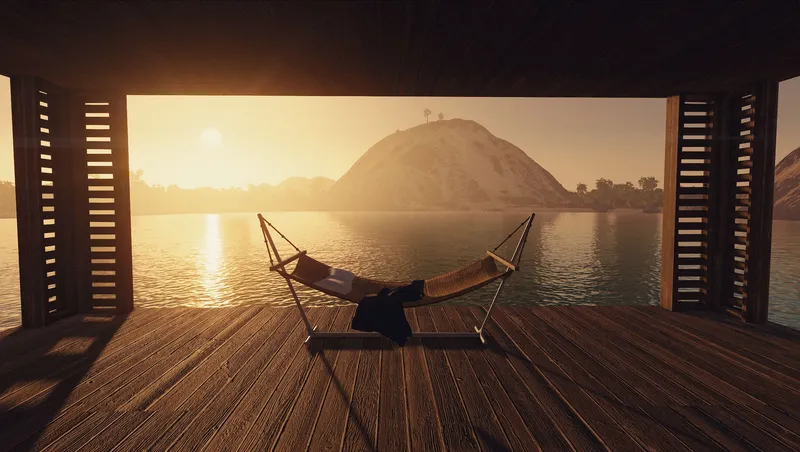
- Casual, comfy outdoor furniture: hammocks and loungers, along with versatile accents for easy, breezy relaxation.
- Enchanting ambience: A fireplace, chimineas, and hardscape planters accentuate outdoor settings. (Details in Accessibility note)
- Landscaping Bulldozer Tool: Added in v1.1 to clear solid terrain features (rocks, trees). Note: Does not remove non-solid effects (fire, steam, or gas) from planetary vents.
Functional Note: Decks and patio are intended for use on human-inhabitable worlds (they do not provide safety from atmospheric or radiation damage). Furnishings are also available for use in ships and player homes.
Content & Item Availability
- All of the items are available immediately without any skill or research requirements (with the exclusion of lore-gated items, details below).
- Customization: The majority of the base furniture pieces are undecorated for flexibility. Select pre-decorated items are available across various room types.
- Exclusive Items: Certain furniture and decor items are unique to pre-decorated sets.
- Conditional Decor: A couple of items in the Accent Decor category are lore-gated behind in-game progression. These items will be available immediately if the character is already Starborn, or become unlocked once they have completed the main quest stage "Pilgrim's Rest."
- Custom Collectibles: Unique miscellaneous items include a blue fancy dispenser bottle, an off-white jar, a coffee grinder with an alternate pattern, and an Orbiting Wilby Lamp.
- Collectibles & Physics: Certain unique collectible items in the decorated deck kitchen (1 grinder) and changing room (2 jars) are provided as dynamic objects for players to collect or reposition. To preserve player agency, these items retain their Havok physics and may shift during cell reloading or due to planetary terrain spawning.
Placement
- IMPORTANT NOTE on Starter and Modular Cabinets: the Starter Cabinet requires a Wall Anchor in order to build wall-mounted runs or stacks. It has receiver snaps which allow the Modular Cabinets to connect on all sides. The Modular Cabinets can be freely stacked on surfaces or snap to the Starter Cabinet or other Modular Cabinets to continue the run.
- Wall-Mounted Storage Items: the custom Hidden Safes and Liquor Cabinet require placement on a Wall Anchor, which is located next to them in the build menu row.
- Deck stairs initiate connection on the upper end only. The lower end is a passive receiver, to which additional stairs and deck floor pieces can connect. The stairs are designed to be placed directly into the ground and water, allowing full environmental flexibility. Tip: build decks top-down.
- When placing pre-decorated furniture or deck sets, please note there are some loose items included that gain their physics properties once placed. If the supporting parent object is moved, these items may not follow it and instead behave according to their physics. It is best to delete and rebuild these pieces to minimize chaos.
- The Modular Corner Couch piece is intended for arrangement and aesthetic use only and does not contain seat markers, due to complex collision conflicts. All Middle and End pieces function normally.
- The Deck Spa has two placement options (sunken/raised) and must be snapped to another deck piece when built. To ensure that all benches inside remain accessible, it’s best to surround it with deck floor pieces on all sides. Obstruction errors may occur when placed adjacent to decking with vertical elements such as railings, gazebo pieces, or walls.
Known Quirks
- Xbox only: moving a snapped deck can cause the floor mesh to disappear. Deleting and placing new pieces is advised.
- Hidden safes' activators are located on the left side of the painting faces; safe contents can be accessed without opening the painting.
- Using certain furniture/workbenches may cause player to exit into 3rd person POV.
- Characters' heads may clip significantly into oversized pillows when using beds. This does not prevent functionality.
- Some furnishings sink into ship floors if placed near player - if this occurs, try placing them from farther away.
- Navmesh quirks: decks, patios, and stairs have been fully navmeshed, however, companion and NPC pathing may be unreliable on these pieces.
- Stairs gap: a minimal gap is visible at the upper end of the stairs where they connect to a deck piece. This is necessary to accommodate collision with certain pieces.
- Lids can be placed on top of pots, however to center the lid on top of the stockpot, it may be necessary to place the pot on the floor and look down at it from a higher vantage point (Tip: stand on a table or chair).
- The Hanging Rack Pots & Pans needs to be placed on a ceiling before a counter is built below it.
- Curved Sleek Couch: when placing this item on player-built deck pieces, ensure it is centered on the deck floor, away from the edges. This prevents an occasional conflict that can cause an obstructed error on a seating marker. The couch is otherwise fully functional inside outpost habs and on the ground.
- Special note for Xbox users: the light kitchen cabinets use a custom material and on console, the game may require a brief moment to stabilize assets. If the snaps fail initially, exiting and re-entering the Build Menu and building a run of the dark kitchen cabinets will allow the console to refresh the assets, and the snapping function should work as expected.
- Frosted glass windows in the Empty Deck Room do not support attachment of wall-mounted items such as paintings or shelves.
- Moving decks that have already been snapped into place may result in the foundation supports not snapping into the new position properly. If this occurs, the deck can be deleted and replaced with a new unit to resolve the issue.
- Deck Door Snap: the deck door connects to only one side of the basic empty deck floors with a custom snap connection. This means the door can snap to any of these deck pieces in a tiled sequence, even in the middle of a completed deck. Tip: If you build a large deck area, the door may try to "jump" between multiple valid deck floors as you move it. For best results, aim your reticle at the specific edge where you want the door to connect. The deck floor may need to be rotated to ensure the connecting edge is facing outward.
Compatibility Notes
- Command NPCs - Order Your Followers and Allies: Directing NPCs to the benches in the sauna and spa/hot tub (both placement options: sunken/raised) does not work, NPCs ignore the command.
Accessibility
- Patio Chair (Relaxed) entry and exit animations feature a rapid camera pan around character.
- Chimineas and fireplaces include flickering light and ambient crackling sounds.
- Hardscape planters feature a special effect fireflies marker with small, quick-moving flashing lights.
- Most furniture item names include color labels to assist players with vision deficiencies.
- The Deck Spa's steam is accompanied by an ambient looping hiss.
Support Info For support and feedback, please visit my author channel in the Collective Modding server on Discord: https://discord.gg/JnmckM5fzZ
Thank you to those who use this mod—your interest means so much to me. Enjoy!
Release notes
Xbox
-
1.2v1.2 Update Changelog [ 27 Apr 26 ]
- Corrected an error on the patio to enable NPC access
New Structural Additions & Changes
- Hab to Deck Direct Access: New door with dedicated snap points for Habs and Plain Deck Floors (Supported & Floating).
- Deck Height: Increased maximum height limit for all decks.
The Bedroom Collection
- Single Bed Series: Six new compact sleeping options, two variants match existing colorways, the others add new complementary color and texture combinations.
- Coordinated Decor: Includes a new Vanity Table & matching Stool, a Display Shelf, and a Round Rug (found in Accent Decor).
Known Quirks & Building Tips
- Deck Door Snap: the deck door connects to only one side of the basic empty deck floors with a custom snap connection. This means the door can snap to any of these deck pieces in a tiled sequence, even in the middle of a completed deck. Tip: If you build a large deck area, the door may try to "jump" between multiple valid deck floors as you move it. For best results, aim your reticle at the specific edge where you want the door to connect. The deck floor may need to be rotated to ensure the connecting edge is facing outward.
- Note on Uneven Terrain: the door allows habs to connect to it. Ensure the structure you're trying to attach has adequate ground clearance or you may encounter obstruction errors. -
1.1.1Pegasus Home & Garden v1.1.1 Update [3 Feb 26]
Changelog
- Menu Reorganization: moves orange patio umbrella, swing chair, pergola hammock, and planter hammock from Garden Furniture list, and patio and black patio umbrella from Patio Furnishings list; to Outdoor Accents list, to prevent rare ship decorator menu error. Furniture and decor on those lists remain available for placement in outposts and ships. -
1.1Pegasus Home & Garden Update v1.1 Changelog
This update stabilizes optional clutter while leaving unique collectibles available and adds new content.
Note: Existing deck rooms require rebuilding to apply updates.
Changes:
- In certain deck rooms, clutter items have been converted to static references. Exception: 3 unique playable collectibles (Kitchen Grinder/Changing Room Jars) remain dynamic for player collection and may still be affected by game physics.
- Kitchens have a switch to show/hide clutter, located on the wall near the sink
- Storage Liquor Cabinet (including deck dry bars) - static port wine replaced with static sparkling wine.
- Increased height limit of decks.
New:
- Decorated Floating Decks: a fully enclosed empty room with frosted glass windows; and a steaming spa/hot tub with two placement options (Sunken/Raised), must snap to other decking, designed to allow NPC use. Note: due to the spa's construction, the ground-intersection check is bypassed for building. To prevent terrain (grass/rocks/ground) from clipping through the spa floor, ensure the target connection deck is raised sufficiently above ground level before snapping the spa into place. See placement notes in main description.
- Landscaping Bulldozer Tool: Added in its own row for clearing solid terrain features (rocks, trees) that interfere with outpost placement.
- New Hammocks: suspended under a modern pergola and between casual potted palm arrangements, can be freely built on decks or ground
- Outdoor Accents: two new hardscape planters with firefly effects, a small brazier column, and a tall hanging brazier column
- Bedroom: beds with new colors, coordinated side tables, display cabinet
- Bathroom: decorated towel shelves, static slipper pairs in alternate colors
- Accent Decor: new rugs in green, blue, and yellow complement new bedroom furniture -
1.00== Describe this release ==
Playstation
-
1.2v1.2 Update Changelog [ 27 Apr 26 ]
- Corrected an error on the patio to enable NPC access
New Structural Additions & Changes
- Hab to Deck Direct Access: New door with dedicated snap points for Habs and Plain Deck Floors (Supported & Floating).
- Deck Height: Increased maximum height limit for all decks.
The Bedroom Collection
- Single Bed Series: Six new compact sleeping options, two variants match existing colorways, the others add new complementary color and texture combinations.
- Coordinated Decor: Includes a new Vanity Table & matching Stool, a Display Shelf, and a Round Rug (found in Accent Decor).
Known Quirks & Building Tips
- Deck Door Snap: the deck door connects to only one side of the basic empty deck floors with a custom snap connection. This means the door can snap to any of these deck pieces in a tiled sequence, even in the middle of a completed deck. Tip: If you build a large deck area, the door may try to "jump" between multiple valid deck floors as you move it. For best results, aim your reticle at the specific edge where you want the door to connect. The deck floor may need to be rotated to ensure the connecting edge is facing outward.
- Note on Uneven Terrain: the door allows habs to connect to it. Ensure the structure you're trying to attach has adequate ground clearance or you may encounter obstruction errors.
PC
-
1.2v1.2 Update Changelog [ 27 Apr 26 ]
- Corrected an error on the patio to enable NPC access
New Structural Additions & Changes
- Hab to Deck Direct Access: New door with dedicated snap points for Habs and Plain Deck Floors (Supported & Floating).
- Deck Height: Increased maximum height limit for all decks.
The Bedroom Collection
- Single Bed Series: Six new compact sleeping options, two variants match existing colorways, the others add new complementary color and texture combinations.
- Coordinated Decor: Includes a new Vanity Table & matching Stool, a Display Shelf, and a Round Rug (found in Accent Decor).
Known Quirks & Building Tips
- Deck Door Snap: the deck door connects to only one side of the basic empty deck floors with a custom snap connection. This means the door can snap to any of these deck pieces in a tiled sequence, even in the middle of a completed deck. Tip: If you build a large deck area, the door may try to "jump" between multiple valid deck floors as you move it. For best results, aim your reticle at the specific edge where you want the door to connect. The deck floor may need to be rotated to ensure the connecting edge is facing outward.
- Note on Uneven Terrain: the door allows habs to connect to it. Ensure the structure you're trying to attach has adequate ground clearance or you may encounter obstruction errors. -
1.1.1Pegasus Home & Garden v1.1.1 Update [3 Feb 26]
Changelog
- Menu Reorganization: moves orange patio umbrella, swing chair, pergola hammock, and planter hammock from Garden Furniture list, and patio and black patio umbrella from Patio Furnishings list; to Outdoor Accents list, to prevent rare ship decorator menu error. Furniture and decor on those lists remain available for placement in outposts and ships. -
1.1Pegasus Home & Garden Update v1.1 Changelog
This update stabilizes optional clutter while leaving unique collectibles available and adds new content.
Note: Existing deck rooms require rebuilding to apply updates.
Changes:
- In certain deck rooms, clutter items have been converted to static references. Exception: 3 unique playable collectibles (Kitchen Grinder/Changing Room Jars) remain dynamic for player collection and may still be affected by game physics.
- Kitchens have a switch to show/hide clutter, located on the wall near the sink
- Storage Liquor Cabinet (including deck dry bars) - static port wine replaced with static sparkling wine.
- Increased height limit of decks.
New:
- Decorated Floating Decks: a fully enclosed empty room with frosted glass windows; and a steaming spa/hot tub with two placement options (Sunken/Raised), must snap to other decking, designed to allow NPC use. Note: due to the spa's construction, the ground-intersection check is bypassed for building. To prevent terrain (grass/rocks/ground) from clipping through the spa floor, ensure the target connection deck is raised sufficiently above ground level before snapping the spa into place. See placement notes in main description.
- Landscaping Bulldozer Tool: Added in its own row for clearing solid terrain features (rocks, trees) that interfere with outpost placement.
- New Hammocks: suspended under a modern pergola and between casual potted palm arrangements, can be freely built on decks or ground
- Outdoor Accents: two new hardscape planters with firefly effects, a small brazier column, and a tall hanging brazier column
- Bedroom: beds with new colors, coordinated side tables, display cabinet
- Bathroom: decorated towel shelves, static slipper pairs in alternate colors
- Accent Decor: new rugs in green, blue, and yellow complement new bedroom furniture -
1.00== Describe this release ==
Additional Screenshots Available
This mod has 11 additional screenshots available on the official Bethesda.net page.
View All Screenshots on Bethesda.netMod Feedback Thread
r/starfieldmodfeedbackThis is a dedicated feedback thread where users can provide direct feedback on this mod.
YouTube Videos
Community Rating & Feedback
No reviews with comments yet.
Be the first to leave a review!
Related Starfield Mods
By Dialectric • 2 years ago
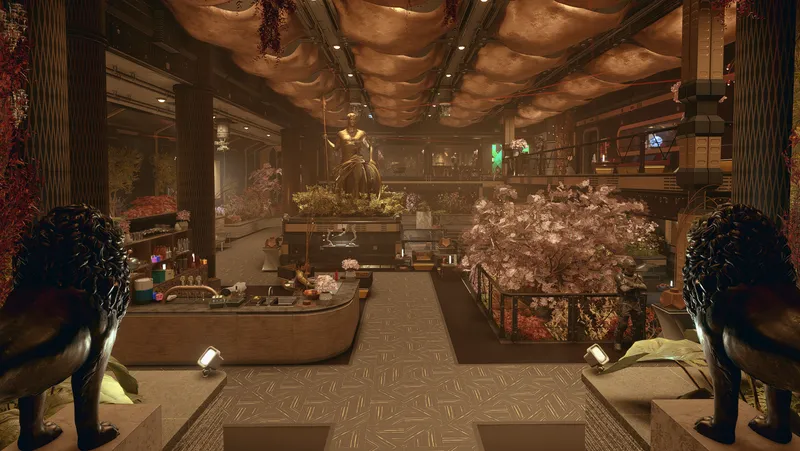
Player Home with rich Merchants, Custom Player Ship, pre-existing unique Companion, 300 buildable Outpost objects, 11 pre-existing quest starters, All Backgrounds & Traits.
By Miss_o • 2 years ago
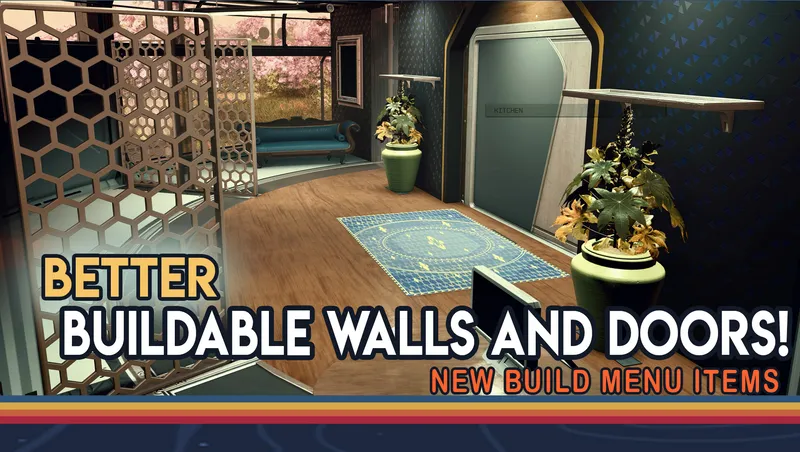
The new and improved Buildable Walls and Doors mod
By Betamax76 • 2 years ago
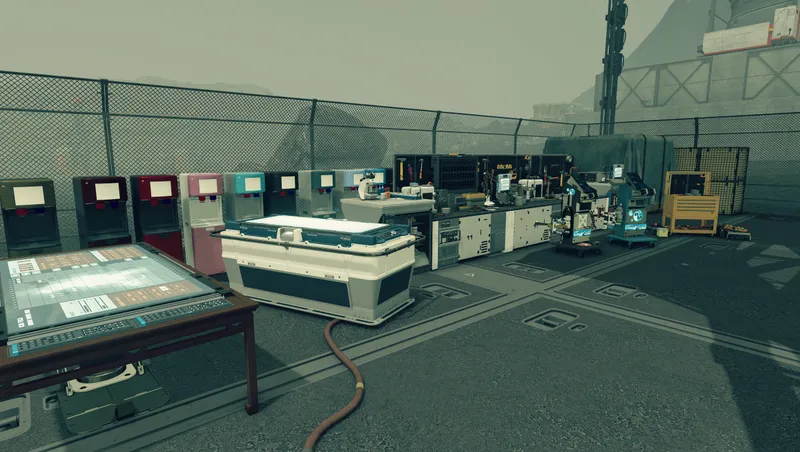
Adds over 1,000 mostly functional decorations for outposts, player homes, and ships.
Quick Actions
Your Rating
Sign in to rate and review this mod—your vote helps the community.
Community Rating
Categories
Mod Information
- Published
- Dec 02, 2025
- Last Updated
- Jun 22, 2026
- Platforms
- PC, Xbox
Search Mods
More by Star_Pegasus


Related Starfield Mods