TN's Targeting HUD
Community Rating
"Do you remember the old Wes(t)Tek company from old Earth?"
"Didn't they make those fancy mechanized suits?"
"Yeah, they still got a few pieces of tech in circulation! You can install those old Targeting HUDs from the Colony War on your helmets still."
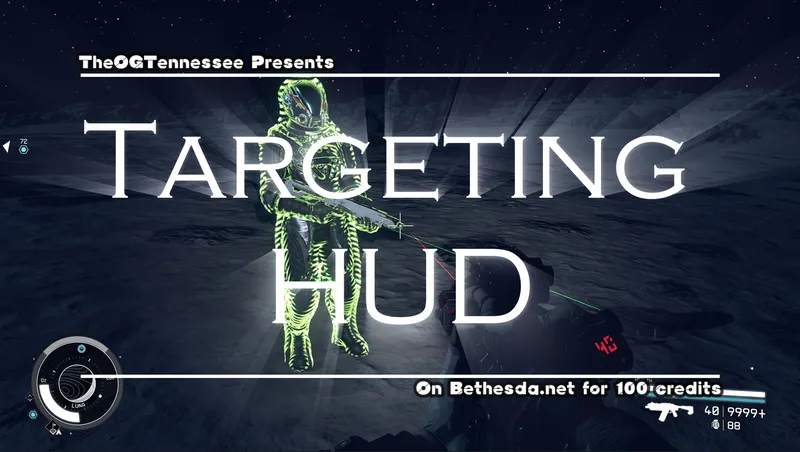
If you remember the Fallout 4 Power Armor Targeting HUD, then you know the piece of tech they are talking about! Introducing a Fallout 4 style Targeting HUD for your space suit, but with many more bells and whistles. The TN's Targeting HUD is an immersive way to solve the problem of visibility in chaotic or dark environments.
When you install the Helmet modification into Slot 2, the Targeting HUD will highlight non-civilian (anything but crowd NPCs) as a highly visible yellow. You can then head to a Research Lab with your Targeting HUD equipped to research new module upgrades for your Targeting HUD. Research Labs will also give you a helpful new activator that allows you to enter your Targeting HUD's BIOS and change settings and install new modules so long as the TargetingHUD is equipped.
What you will need to get started:
- Helmet Mods 3 (Research)
- Targeting 1 (Perk)
- 4 Zero Wire, 1 Positron Battery, 1 Paramagnon Conductor, and 1 Microsecond Regulator
You will need increasing ranks in Targeting for the Module research, and the ability to craft up to grade 3 Manufactured Materials (Special Projects rank 4).
The following modules can be crafted for the Targeting HUD:
- Friend of Foe Module: Highlights hostiles in Red, but requires you to be slightly closer than normal for the HUD to tell if they are hostile.
- Medical Module: Highlights the recently deceased or dieing in a Teal Blue glow so you can find them easier. Short Range.
- Motion Detector Module: Moving targets give off distortion waves that can be seen through obstacles, or even while the target is not visible. Medium Range.
- Anti-Stealth Module: Targets using Active Camouflage are visible at any distance with the normal HUD highlighting.
You can install two of these modules at the same time. You can also adjust the activation conditions of the HUD using the BIOS, including activating when your weapon is out (Default), when sneaking, when in combat, or when driving your vehicle. You can also turn off the default function of the HUD, letting only the modules run. Ex: When the Friend or Foe module is active, but default function is inactive, only enemies will be highlighted.
Lastly, you can install the Targeting HUD module onto the helmets of your allies. When you do so, your allies will be highlighted Green so you can easily find your squad members among the fray. For robotic allies, you can manually install this function using the BIOS.
The work in this mod is based on previous work of mine in Fallout 4. You can still find the Balanced Utility Targeting HUD under my old Fallout/Skyrim account (SephDragoon).
If you do not feel this mod is worth a purchase, and you wish to find a free alternative, you can find Shade's Glowy Stuff by Shadedness as a free alternative.
If you wish to contact me, find me on the Nexus, or on many Starfield discords as TheTennessee. You can also join "The Stuff of Legends" discord here: https://discord.gg/K4eRYKzcAv

Release notes
Xbox
-
1.1.0Improved the function of the Ally effect so that it no longer applies the Perk when worn through the enchantment, and therefore won't freeze the game in some load orders.
Playstation Upload. -
1.0.1- Using proper Message box instead of a Debug message box for the intro message.
- Fixed an issue where ambushing enemies would not be marked as enemies.
- Fixed an issue with the green Ally effect getting lost in some instances.
- Removed the requirement that the Targeting HUD be equipped from the Research Projects.
- Updated the Medical Module's effect to show a more distinctive static effect.
- Updated the Targeting HUD mod's description. -
1.0Initial Release
Playstation
-
1.1.0Improved the function of the Ally effect so that it no longer applies the Perk when worn through the enchantment, and therefore won't freeze the game in some load orders.
Playstation Upload.
PC
-
1.1.0Improved the function of the Ally effect so that it no longer applies the Perk when worn through the enchantment, and therefore won't freeze the game in some load orders.
Playstation Upload. -
1.0.1- Using proper Message box instead of a Debug message box for the intro message.
- Fixed an issue where ambushing enemies would not be marked as enemies.
- Fixed an issue with the green Ally effect getting lost in some instances.
- Removed the requirement that the Targeting HUD be equipped from the Research Projects.
- Updated the Medical Module's effect to show a more distinctive static effect.
- Updated the Targeting HUD mod's description. -
1.0Initial Release
Explore more Starfield creations for Gear. Browse all Gear mods →
AB - Constellation Expedition Cache
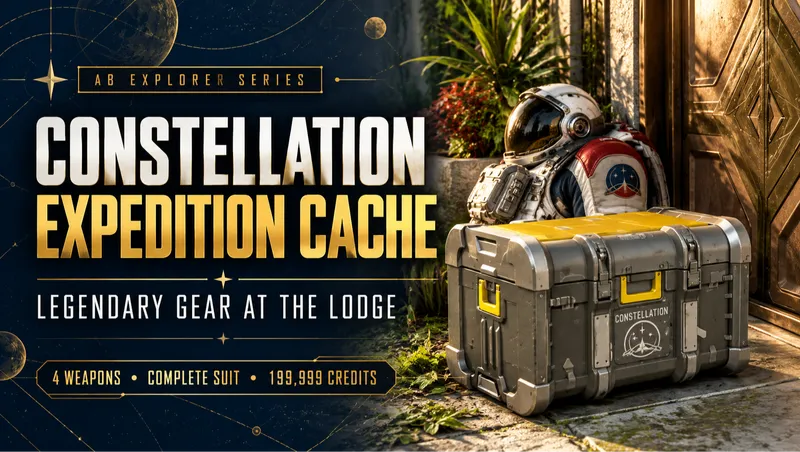
A supply chest outside the Lodge: four powerful legendary rifles, a legendary Constellation suit set, ammo, 199,999 credits, healing supplies and Digipicks.
Modular Outfit System (MOS) - VCO
A lightweight and creations friendly overhaul to the outfit system driven by Bethesda's engine with 379 new clothing items to mix and match for the VCO Body.
Modular Outfit System (MOS) - Vanilla
A lightweight and creations friendly overhaul to the outfit system driven by Bethesda's engine with 379 new clothing items to mix and match for the Vanilla body.
![BNW Obsidian — Weapon Skin Pack [Test Build]](https://www.starfieldunity.com/storage/mods/b2735a87-3064-48d9-b4af-f35954fb29cc.webp)
BNW Obsidian — Weapon Skin Pack [Test Build]
Transform Starfield's arsenal with BNW Obsidian! An expanding weapon skin collection featuring pristine obsidian-black finishes, polished gold trim and custom detailing.