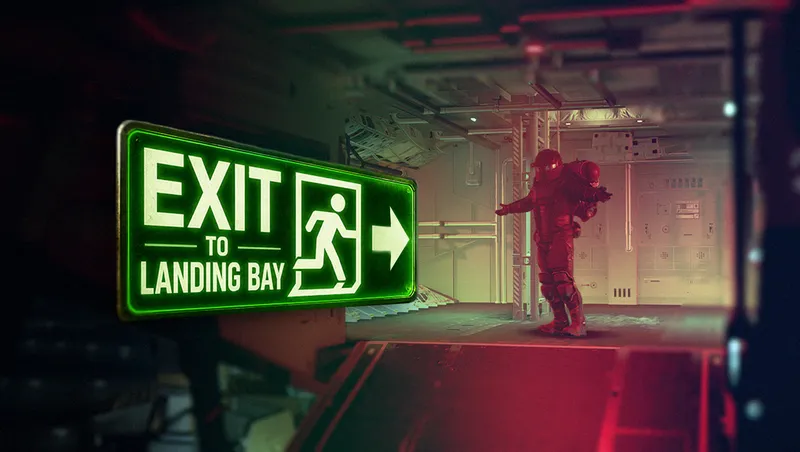
Exit To Landing Bay
By bomblebtuna
Community Rating
Overview This mod is meant to increase immersion and save time by allowing the player to fast travel directly to the landing bay instead of outside the ship when using the "Exit Ship" action while sitting in the pilot seat. The mod has been tested and works in both first person and third person mode. I highly recommend using along side the Immersive Landing Ramps mod for ultimate immersion as you get ready to venture into the unknown.
Installation Install using your favorite mod manager and make sure to place it after any other landing bay altering mods in your load order.
Compatibility This is a very light mod and should not conflict with anything else, it has been tested with custom landing ramp mods as well as the Immersive Landing Ramps mod and it works great.
Final Thoughts I hope you enjoy playing this mod as much as I enjoyed the challenge of making it! If you do, an endorsement goes a long way. Thank you for the support, and keep an eye out for more mods in the future!
Mod Updated to v1.4
Fixed an issue where companion dialogue audio would cut out after teleporting to the landing bay, despite the character's lip-sync animation continuing. Improved overall spawn placement, resolving a minor clipping issue where players would occasionally spawn slightly above the ground.
Note: Some players may still spawn facing backwards or sideways in certain landing bays. This occurs because spawn orientation currently inherits the player’s previous facing direction from the pilot seat. I’m aware of the issue and actively looking for a cleaner solution for a future update.
Note: I am tracking a bug where some players experience a double-loading screen. It's an intermittent issue, which makes it difficult to pinpoint the exact cause right now. In the meantime, if you keep running into this, reloading your load order inside the Creations menu usually helps mitigate the issue.
Release notes
PC
-
1.00== Describe this release ==
-
1.04Mod Updated to v1.04
Fixed an issue where companion dialogue audio would cut out after teleporting to the landing bay, despite the character's lip-sync animation continuing.
Improved overall spawn placement, resolving a minor clipping issue where players would occasionally spawn slightly above the ground.
Note: Some players may still spawn facing backwards or sideways in certain landing bays. This occurs because spawn orientation currently inherits the player’s previous facing direction from the pilot seat. I’m aware of the issue and actively looking for a cleaner solution for a future update.
Note: I am tracking a bug where some players experience a double-loading screen. It's an intermittent issue, which makes it difficult to pinpoint the exact cause right now. In the meantime, if you keep running into this, reloading your load order inside the Creations menu usually helps mitigate the issue. -
1.03Fixed an issue causing the camera to temporarily switch to first person after standing up from the pilot seat.
Fixed a bug where interaction UI elements could remain hidden for a few seconds after leaving the pilot chair.
Fixed an issue where exiting from a captured or boarded ship could incorrectly place the player inside their home ship’s landing bay. -
1.02Version 1.2
Fixed a spawning/clipping issue affecting certain landing bays (notably the Taiyo Ship Bed 200 Landing Bay).
Improved player spawn orientation across most bays — players now face toward the ramp upon exiting.
Refined spawn placement for side-loading bays (e.g., the Stroud-Eklund Stability Pro Landing Bay). Players will still face forward, but positioning has been improved to better match the bay layout.
Xbox
-
1.00== Describe this release ==
-
1.04Mod Updated to v1.04
Fixed an issue where companion dialogue audio would cut out after teleporting to the landing bay, despite the character's lip-sync animation continuing.
Improved overall spawn placement, resolving a minor clipping issue where players would occasionally spawn slightly above the ground.
Note: Some players may still spawn facing backwards or sideways in certain landing bays. This occurs because spawn orientation currently inherits the player’s previous facing direction from the pilot seat. I’m aware of the issue and actively looking for a cleaner solution for a future update.
Note: I am tracking a bug where some players experience a double-loading screen. It's an intermittent issue, which makes it difficult to pinpoint the exact cause right now. In the meantime, if you keep running into this, reloading your load order inside the Creations menu usually helps mitigate the issue. -
1.03Fixed an issue causing the camera to temporarily switch to first person after standing up from the pilot seat.
Fixed a bug where interaction UI elements could remain hidden for a few seconds after leaving the pilot chair.
Fixed an issue where exiting from a captured or boarded ship could incorrectly place the player inside their home ship’s landing bay. -
1.02Version 1.2
Fixed a spawning/clipping issue affecting certain landing bays (notably the Taiyo Ship Bed 200 Landing Bay).
Improved player spawn orientation across most bays — players now face toward the ramp upon exiting.
Refined spawn placement for side-loading bays (e.g., the Stroud-Eklund Stability Pro Landing Bay). Players will still face forward, but positioning has been improved to better match the bay layout.
Playstation
-
1.00== Describe this release ==
-
1.04Mod Updated to v1.04
Fixed an issue where companion dialogue audio would cut out after teleporting to the landing bay, despite the character's lip-sync animation continuing.
Improved overall spawn placement, resolving a minor clipping issue where players would occasionally spawn slightly above the ground.
Note: Some players may still spawn facing backwards or sideways in certain landing bays. This occurs because spawn orientation currently inherits the player’s previous facing direction from the pilot seat. I’m aware of the issue and actively looking for a cleaner solution for a future update.
Note: I am tracking a bug where some players experience a double-loading screen. It's an intermittent issue, which makes it difficult to pinpoint the exact cause right now. In the meantime, if you keep running into this, reloading your load order inside the Creations menu usually helps mitigate the issue. -
1.03Fixed an issue causing the camera to temporarily switch to first person after standing up from the pilot seat.
Fixed a bug where interaction UI elements could remain hidden for a few seconds after leaving the pilot chair.
Fixed an issue where exiting from a captured or boarded ship could incorrectly place the player inside their home ship’s landing bay. -
1.02Version 1.2
Fixed a spawning/clipping issue affecting certain landing bays (notably the Taiyo Ship Bed 200 Landing Bay).
Improved player spawn orientation across most bays — players now face toward the ramp upon exiting.
Refined spawn placement for side-loading bays (e.g., the Stroud-Eklund Stability Pro Landing Bay). Players will still face forward, but positioning has been improved to better match the bay layout.
Additional Screenshots Available
This mod has 2 additional screenshots available on the official Bethesda.net page.
View All Screenshots on Bethesda.netYouTube Videos
Community Rating & Feedback
No reviews with comments yet.
Be the first to leave a review!
Related Starfield Mods
By shadedness • 2 years ago
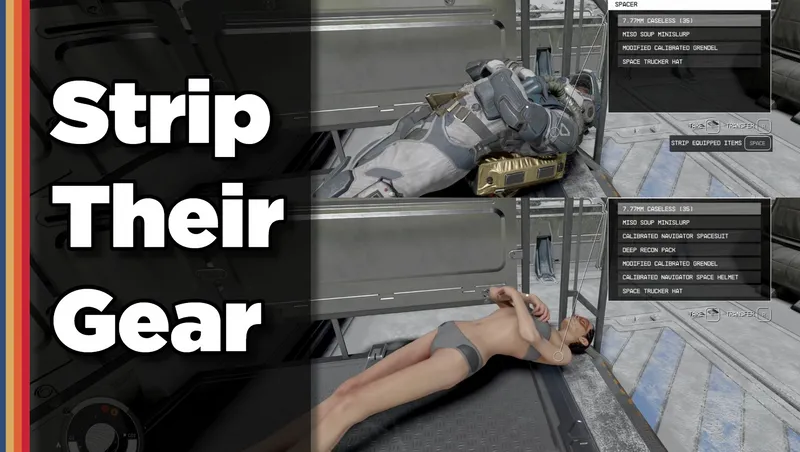
Strip any equipped armor or clothes from your fallen foes! Or simply loot-all with 1 button. Steal items from knocked-out targets instead of pick-pocketing and waking them up!
By DownfallNemesis • 2 years ago
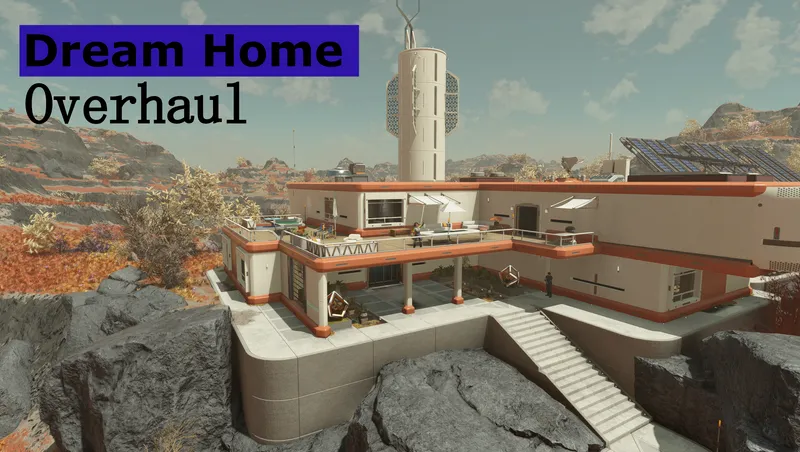
Overhaul of the Dream Home. Moved the homes interior into the exterior cell of Nesoi. Added several buildings outside which contain all workbenches, a vendor and a ship builder!
By Deebz • 2 years ago
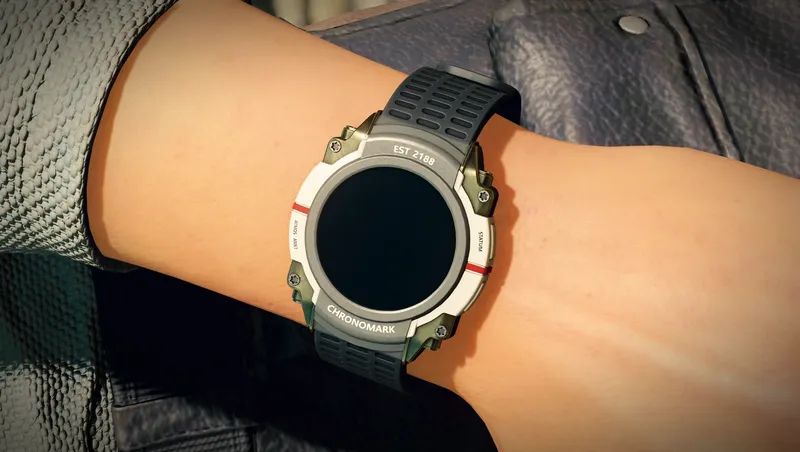
Makes the Chronomark watch visible on your left wrist, as it always should have been. Also equips the watch on other specific members of Constellation.
By Deebz • 2 years ago
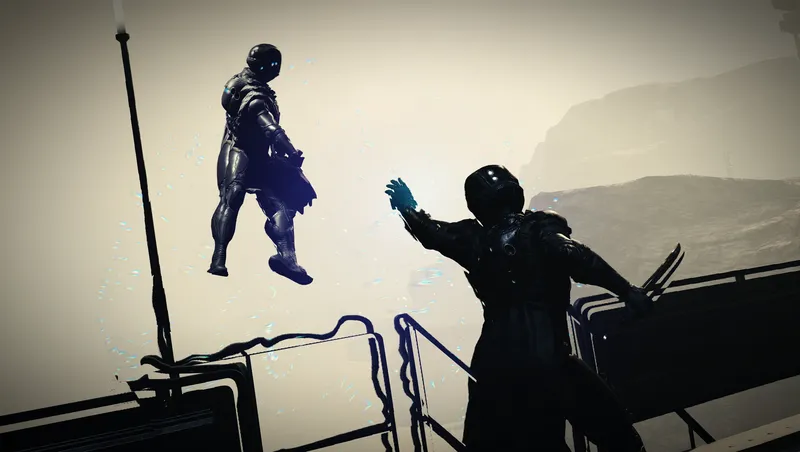
Turns Gravity Wave into a proper “force push” power, using ragdoll physics instead of the vanilla knockdown animations. Designed to be fair and balanced.
Quick Actions
Your Rating
Sign in to rate and review this mod—your vote helps the community.
Community Rating
Categories
Mod Information
- Published
- May 05, 2026
- Last Updated
- May 15, 2026
- Platforms
- Playstation, PC, Xbox
Search Mods
Related Starfield Mods