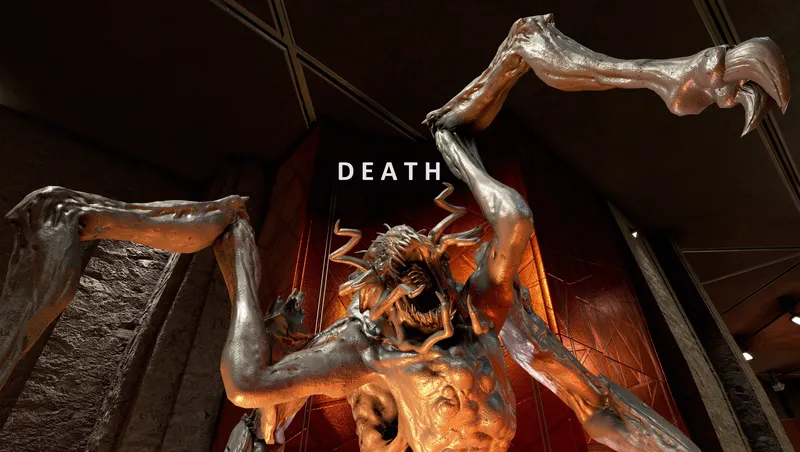
Death
By youngneil1
Community Rating
Death, a so small collection mod (see collection details at the end)
-- The idea -- I wanted to feel that shiver. Immerse myself in only having one life, with no going back in time to older saves. When I die, I am dead. What I decide or do ingame is written into the sands of history, no undoing.
Death locks all savegames made by you after the installation of Death with the exception of a single autosave created by using a new item called "save injector" (labeled "Save and Quit"). You will find the save injector appearing in your inventory automatically after installation of Death. Using the save injector not only saves your game, but also quits it directly afterwards.
You cannot load into these other locked savegames, but are instantly returned to Main Menu if you try. There is an option to unlock all your savegames again in case of emergencies, see below. No existing savegame files are altered or deleted by Death.
Furthermore, upon loading into the savegame made with save injector it gets overwritten by a locked autosave, too. This way, you have to use the save injector to create a new unlocked savegame. Ingame messages will remind you that you play Death mode and to use your save injector properly.
One life. One save. No going back.
Valar Morghulis, fellow explorer.
-- Details, installation and compatibility -- As first vital step please disable all four autosave options in the game settings menu (rest, wait, travel, pause). Set them to off/off/off/disabled as shown in the provided screenshot, please. Death makes its own autosave(s).
On first usage of Death please save and then reload that savegame to activate Death. This is only neccessary once. A message will greet you everytime you load into a savegame with Death activated.
To save and quit please only use the "save injector" item from you aid items inventory tab (called "Save and Quit"). You must leave the game via the save injector (no manual quitting, no manual loading while in your savegame, and, well, no dying :-)) . Otherwise you will be considered dead (see below for recovery of your savegames).
To continue your adventure later on just chose the "Continue" option form the game's main menu. Alternatively you can manually load into the top most (newest) autosave.
You can do manual savegames while playing in Death mode (quicksave, full save). You will not be able to load into these locked savegames while Death is installed, but they can provide you recovery points for later (in case of crashes or when you want to continue playing your character without Death), see the details of recovery below.
It is not advised to switch characters while you play with a character in Death mode. This will mess up your savegame order and you might have a hard time finding that save that lets you continue your adventures in Death mode.
When loading into a savgame made with the save injector the game purposefully does some autosaving, overwriting the older autosaves made by Death. This can result in a few choppy frames during the first few seconds after loading into your savegame.
-- Unistallation, recovery and trouble shooting -- You can (actually easily) remove Death completely and unlock all savegames affected by it again (should be good practice with all kinds of permadeath mods imho, but tastes differ in this regard) . This is vital especially for crash scenarios or external accidents out of your control (eg power shortage, alien invasion, the usual suspects). Just follow these steps:
- Go into your Creations menu, Load order tab, and uncheck Death.esm (ie disable Death mod).
- Shut down Starfield (to desktop on PC, close application on XBOX).
- Restart Starfield.
- Load any savefile you want - Death is no longer affecting your savegames. As Death is not deleting or changing existing savefiles, you have not lost a sliver of progress or information.
Death should be compatible with any other mod that I am currently aware of.
-- so small collection -- This mod is part of the "so small collection" of mods. These mods dont require each other and can be played stand alone, even balancewise. They form a greater whole though - the more of them you combine, the more you see this final shape. The overarching idea is to create a gameworld that feels immensely vast, begs for thorough exploration, is full of mysteries, plays truely challenging and lasts very, very long. In other words the goal of the mods is to make the player feel: so small.
Here's a list of the mods in the so small collection in case this idea resonates with you:
Dynamic Universe: A universe that dynamically scales up with your character level - be it star systems or individual enemies. No more outleveling of content, no more overleveled starts of NG+.
Gear Progression: Gear Progression adds levels to all weapons, suits, helmets and backpacks. Your character level must match these in order to equip the gear. Each NG+ these levels raise further.
Economy: Economy shifts income generation away from tiresome loot hauling. Ship building becomes the long term goal it's meant to be. As credits get more scarce, rewards remain meaningful.
Explorer: An immersive overhaul of the resources - crafting - exploration loop. Get out there into the Starfield and explore - the rewards are much bigger now, but so is the need to do it.
Linearity (alternatively have a look for "Death" or "Ruin" mods): A new gameplay mode where reloading is your last resort. Live and embrace your adventure as it unfolds, imperfect as it may be. You can always save to quit and continue later.
Slow Travel: Slow Travel makes your journey through Starfield much more tactile and immersive by grav jump costs, less map markers, no move on overencumberance and restricted fast travel.
Star Powers: Live as a Spellblade in the Settled Systems. Powers are rebalanced so that eg crowd control, slowed time and near invisibiilty become interesting instead of game balance breaking.
The Isotopes: A compelling reason to explore POI in all Star Systems. Loot the 75 new Isotopes, each specific to a singular Star System. They are needed for rank 4 skills and gear mod crafting.
High Level Weapons: Continue to find better weapons, all the way up to level 300. 7+ new revisions/tiers for each of 50 weapon types. Uniquely named, legendary, each hidden in a specific star system.
High Level Armors: Continue to find better armors up to lvl 255. All HLA share about the same power level - mix and match for the looks you like. Starborn armors improve in quality and variety, too.
Counterfire: Starting with level 85 the player gets 1% more ground combat damage for each level. Idealy used in combination with the "High Level Weapons" mod.
Terra Incognita: All ground surface maps disabled. No markers, no topography, no top down small buildings, no white dots - nothing. Welcome to Terra Incognita - the universe is yours to discover.
Helium-4: Gravjumping requires a pilot to inhale new Helium-4. Not storable and non-tradable - lasts 2 jumps. Explore those moons to get it. Can you chart a course across the Blackest Sea?
Dusty: The new stat Suit Energy depletes rapidly on airless worlds. Mine minerals or take shelter to survive. Five very hidden grains of Elder Dust reward the true Dusties out there.
Less XP: Extra XP for more difficult vanilla gameplay options removed. New options to turn off crafting XP, lower XP for killing fauna and adjust XP gain rate to 75/50/25/10 percent.
The Waiting Game: Whenever you wait or sleep you will sell loot for zero profit for the next 60 real time minutes. Go visit vendors at different places, adventure naturally, quit the waiting game.
Enter Unity: With Enter Unity your origin universe has a max level of 60, raised by 30 with each NG+. If you enter Unity more than 50 levels below max though, you are in for big trouble.
POI Rotation: A new realtime timer and a new list of discovered POI (Points of Interest) effectively prevent repetition. It will take many hours before you can encounter the same POI twice.
Rarity: Increase your chances of finding Legendary and Epic loot by fully surveying Star Systems. The more you explore, the better the loot. But beware, all beginnings are hard.
Health: Health regeneration from the start, but only up to a limit. Increase it by killing enemies, but beware: if you die or reload midsession you have to rebuild your kill streak.
Journey: Skill ranks 3 and 4 only unlock after crossing Unity many times and having 1000 Units of varying minerals. Broaden your play style, rebuild outpost networks, embrace the journey.
Time: After 24 waits/sleeps in the current universe player max Health is reduced by 20 for each further wait/sleep until next NG+. Move time naturally, wait/sleep only when it counts.
PPOI Deserted UC Listening Post: Procedural Points of Interest (PPOI) aims to make the contents of each POI procedural - no repeat visit should ever feel identical. This time upgraded: Deserted UC Listening Post.
Release notes
Xbox
-
1.00Initial release.
PC
-
1.00Initial release.
Additional Screenshots Available
This mod has 10 additional screenshots available on the official Bethesda.net page.
View All Screenshots on Bethesda.netYouTube Videos
Community Rating & Feedback
No reviews with comments yet.
Be the first to leave a review!
Related Starfield Mods
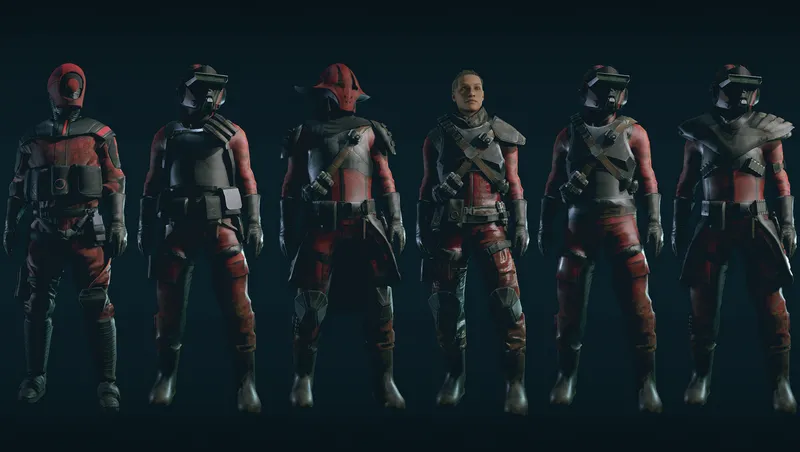
By Mr.Crozzbow • 1 year ago
Complete Overhaul of the Crimson Fleet Spacesuits and outfits of Delgado and Naeva.
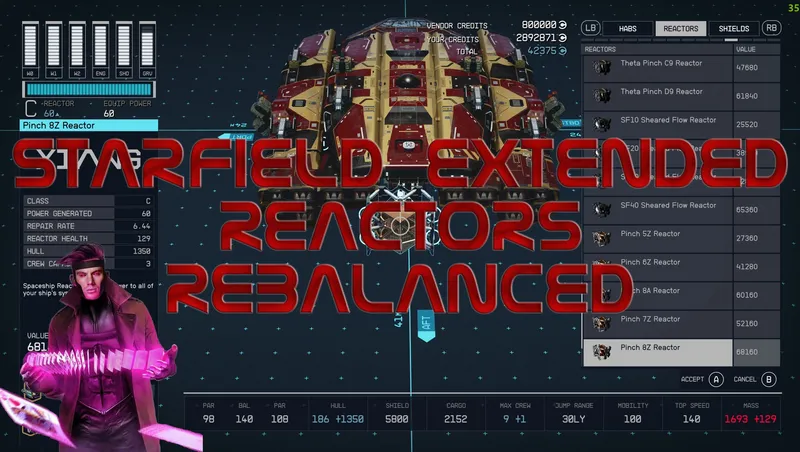
By Gambit77 • 2 years ago
This mod rebalances all the reactors, giving them all 50% more power output.
By shadedness • 2 years ago
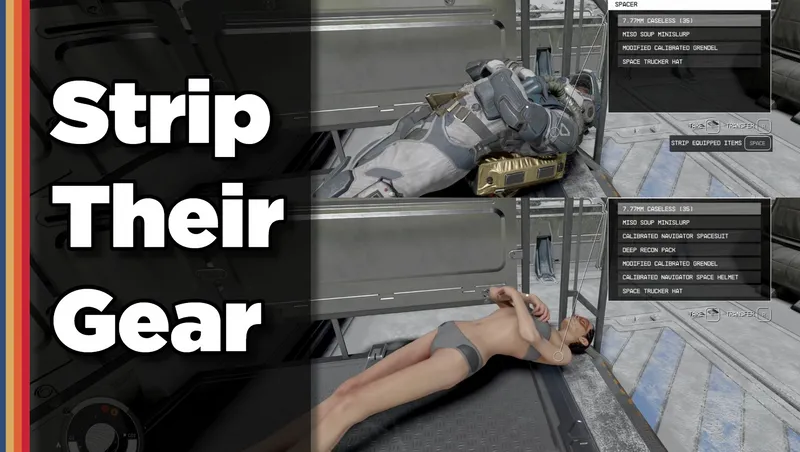
Strip any equipped armor or clothes from your fallen foes! Or simply loot-all with 1 button. Steal items from knocked-out targets instead of pick-pocketing and waking them up!
Quick Actions
Your Rating
Sign in to rate and review this mod—your vote helps the community.
Community Rating
Categories
Mod Information
- Published
- Sep 10, 2024
- Last Updated
- Aug 24, 2024
- Platforms
- PC, Xbox
Search Mods
More by youngneil1
Related Starfield Mods