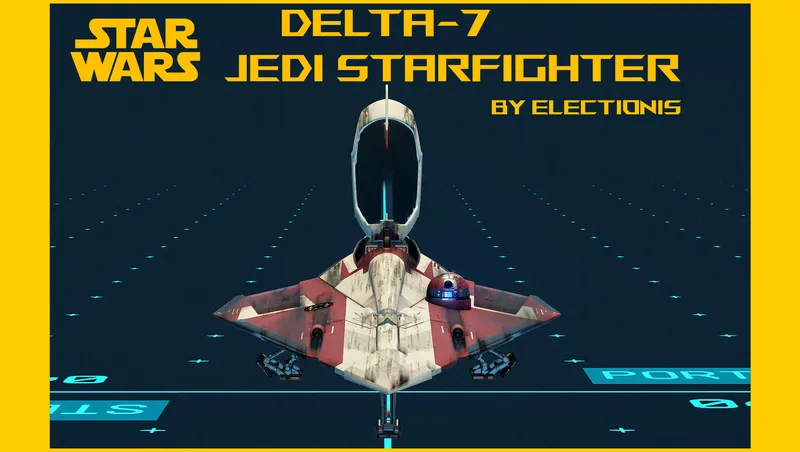
Delta-7 Jedi Starfighter 2002
By electionis
Community Rating
Updated for PS5. No other changes. May the 4th be with you. ;)
- I disabled PS5 downloads temporarily. Trying to figure out what causes crashes for some, if not all, PS5 users.
- Upon finding the solution, I will enable the download.
- Did the game crash? pls share the experience .
- Did it not crash and work perfectly? pls let me know.
- Leave a comment at https://www.youtube.com/watch?v=KnJn_NDmqG8
UPDATED: pls update your creation from ver 1.0 to 1.2. - fixed laser cannons not registered by default
Version 1.1. Update - fixed laser cannons floating behind the precrafted ship
Intro
"A Jedi's Goal Is To Defend Life, Not Take It."
- Obi-Wan Kenobi
Throughout the Clone Wars, one ship distinguished itself as a symbol of the protectors of the Republic: the Delta-7 Its force-capable functionalities, superior maneuverability as well as elegant lines and sleek profile met the needs of the Jedi and now she belongs to you, the Starborn, hero of Starfield.
While in game
Land at Argos Extractors Mining Outpost, on Vectera, Narion system, north east of Alpha Centauri system Walk or fly back as shown in video or use your surface map Flip switch to add it to your fleet and make it your home ship Board and fly away. Pay a small fee and register your new ride to customize! (How about making the ship Yellow and Gray, not Red and White?) She is Class A but can be modified to Class C (just change the reactor)
User Manual
Companions None allowed. Only you will pilot the ship with the help of the Force and R4. Dismiss them all. (IMPORTANT!!) Say goodbye to Sarah and Vasco. (Temporarily)
Access to the interior There are 4 invisible doors, one before the nose cone of the ship, two at aft port and stbd side of the ship and canopy. The Greek letter delta has 3 vertices, hence 3 doors at the corresponding points
Get up option When you get up, you will be standing on the Stbd wing of the ship. You can walk around and even go to the port side, but very limited and confined. This is intentional. Unlike my previous creations, I locked up the interior cell, because I saw some people falling infinitely by accessing the forbidden area by using boost out of habits and curiosity. The downside of locking up the interior is that your flying camera cannot escape the ship, due to a collision barrier, rendering taking cool screenshot in space with your character posing on the ship wielding a lightsaber impossible. So I made an invisible window behind the c-pit (right above the pilotseat) so that your flying camera can escape the ship and get your photo taken against beautiful planets of Starfield. If you use 3rd party screenshot apps in combination with console command like tm and tfc, this doesn't mean much, but a great majority of users like to take advantage of the built-in "Photo mode" feature when taking screenies.
Engine In the process of accommodation, the requirement for Syliure-31 hyperspace docking ring was abandoned because the ring is too cumbersome, hard to find, and unfit for the hostile environment in Starfield's universe) For your convienience, upgraded to have a new hyperdrive-capable sublight engine integrated, having turquoise tint.
Landers Starfield's first custom designed landing gears for a single pilot ship. It was particularly difficult to make because the hull of Delta-7 is so thin and tiny. But the lander engine effect sequence was added and custom-designed unlike my other previous single-pilot ships like Mando's N-1
c-pit canopy Animates when taking off and landing
c-pit interior added emissive lights to make the interior more interesting. The pilotseat was heavily modified to be more screen accurate and I added and customized pilot screens' positions to clearly and instantly monitor the ship behavior and conditions to make users enjoy piloting the ship
Weapons Primary Taim Co. Quad-pulse laser cannons (Blue) Secondary dual Proton torpedo launchers (Green) Tertiary Single Suppressor (Red)
Features and improvements
- canopy, 3 landing gears (fore, port, stbd) are custom-designed and they animate
- No longer dependent on ini tweak and totally standalone
- No longer removes docker ladder and bay ladder
- Dynamic engine FX - the engines turn on when flying, turn off when landed
Custom Ship Parts
(exclusively designed and engineered for Delta-7) (*) serves as a mount
[Base] 1 Delta-7 Hab (Hab) (*) 1 Delta-7 Bay (Bay)
[c-pit] 1 Delta-7 c-pit (c-pit) (*) 1 Delta-7 suppressor (EM Weapon) 2 Delta-7 proton torpedoes (Missile Weapon) - (Port and Stbd) 4 Delta-7 laser cannons (Laser Weapon) - (Port Top, Port Btm, Stbd Top, Stbd Btm)
[Modules] 1 Delta-7 fuselage (Ultra-light alloy) (Structural) (*) 1 Delta-7 reactor (cryogenic power generator) (Reactor) 1 Delta-7 scan jammer (Comm/scan processor) (Equpment) 1 Delta-7 fuel tank (Fuel) 1 Delta-7 R4 Docker (Docker) 1 Delta-7 grav (Class-1 hyperdrive motivator) (Grav) 1 Delta-7 shieled cargo (Cargo) 1 Delta-7 shield (Sirplex J-4 deflector generator) (Shield) 4 Delta-7 J-44 "Jetforce" sublight engines (2 big and 2 small) (Engine)
[Landers] 2 Delta-7 landers Aft (Gear) - (Port and Stbd) 1 Delta-7 lander Fore (Gear)
[Structural] 1 Delta-7 Hood
Build Manual (Optional - your ship is already precrafted on Vectera. But you can build her yourself.)
-
Hab Place Delta-7 hab in the builder
-
Bay Place Delta-7 bay under the invisible hab
-
c-pit Place Delta-7 c-pit at the fore of the invisible hab
-
Weapon (I) Place Delta-7 suppressor on the aft of the reactor Place Delta-7 proton torpedo Stbd first on the Fore Stbd of the c-pit (Duplicate and flip) Place Delta-7 proton torpedo Port next on the Fore Port of the c-pit
-
Fuselage Place Delta-7 fuselage on the fore of c-pit
-
Reactor Place Delta-7 reactor on the foremost snap point of c-pit
-
Weapon (II) Place Delta-7 laser Port Top (PT) on the Port Fore Top of the Fuselage (in the white square) Duplicate and flip to get Stbd Top (ST) and place it Stbd Fore Top of the Fuselage (in the white square) Place Delta-7 laser Port Btm (PB) Port Fore Btm of the Fuselage ((in the white square) Duplicate and flip to get Stbd Btm (SB) and place it Stbd Fore Btem of the Fuselage (in the white square) (the snap point occupation order is from fore to aft behind the c-pit, PT-->ST-->PB-->SB)
-
Hood Place Delta-7 hood (Struct) on the top middle of the main fuselage in front of the c-pit
-
Modules Place Delta-7 scan jammer on the fore of the fuselage Place Delta-7 fuel tank on the port middle of the fuselage Place Delta-7 docker (R4) on top of the fuel tank Place Delta-7 grav on the aft of the hood (on both sides of the c-pit) Place Delta-7 cargo on the aft of the c-pit Place Delta-7 shield on the aft of the cargo
-
Engines When place a mouse pointer on the fuselage, you can see there are 4 snap points on the aft side of fuselage, with 2 on port and 2 on Stbd side. Place Delta-7 engine - Port Big on the port most of snap point. Place Delta-7 engine - Port Small on the second port side of the snap point. Place Delta-7 engine - Stbd Big on the Stbd most of the snap point. (Duplicate Port Big and flip) Place Delta-7 engine - Stbd Small on the second Stbd side the snap point. (Duplicate Port Small and flip)
- So, you have placed two big engines on the outside and two small ones inside.
- Landers (Gears) Place Delta-7 lander - Port on the port of the invisible hab (Duplicate and flip) Place Delta-7 lander - Stbd on the Stbd of the invisible hab Place Delta-7 lander - Fore on the Port of the invisible bay
Paint job
There is no right or wrong here. It's your ship. Be original.
Double click any part and the whole ship will turn red.
Obi-Wan Kenobi theme (Red and white symbolizes neutrality and diplomatic immunity)
Change:
Color 1 - (Main Delta) into Burgundy (dark dark Red)
Color 2 - (Sub Center stripe 1) into (light beige) - (Hex #fff0db RGB 255,240,219) - white tone but only slightly yellowish
Color 3 - (Sub Center stripe 2) into (slightly dark beige) -(Hex #eed9c4 RGB 238,217,196) - just a little darker
Alternatively,
Change: (Anakin's theme)
Color 1 - (Main Delta) into Canary yellow (Hex #FFEF00 RGB 255, 239, 0) - bright yellow
Color 2 - (Sub Center stripe 1) into (light gray)
Color 3 - (Sub Center stripe 2) into (slightly dark gray)
Congratulations, you’ve built the one and only Delta-7 Jedi Starfighter in Starfield universe!
Disclaimer
This is an extremely experimental mod. Make a backup copy of your save file in a safe foler. My save file is intact so far and I have no problem using this mod, but as you know ANYTHING can happen in Starfield. ;-) Enjoy!
Permissions
You may not modify nor distribute this file without my permission.
Credits
George Lucas for the SW universe Todd Howard and his team for giving us the Starfield universe to dwell in and enjoy
Release notes
PC
-
1.2.1Updated for PS5. No other changes. May the 4th be with you. ;)
-
1.2fixed laser cannon not registered as a primary weapon by default
-
1.1Fixed laser cannons' positions on precrafted ship on Vectera
-
1.00Initial release
Xbox
-
1.2.1Updated for PS5. No other changes. May the 4th be with you. ;)
-
1.2fixed laser cannon not registered as a primary weapon by default
-
1.1Fixed laser cannons' positions on precrafted ship on Vectera
-
1.00Initial release
Playstation
-
1.2.1Updated for PS5. No other changes. May the 4th be with you. ;)
Additional Screenshots Available
This mod has 9 additional screenshots available on the official Bethesda.net page.
View All Screenshots on Bethesda.netYouTube Videos
Community Rating & Feedback
No reviews with comments yet.
Be the first to leave a review!
Related Starfield Mods
By electionis • 1 year ago
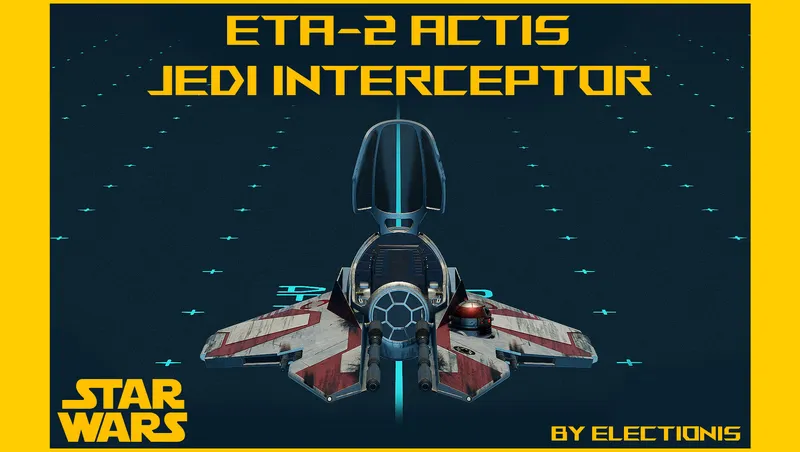
This mod adds Eta-2 Actis Jedi Interceptor from Star Wars Ep. III Revenge of the Sith. Standalone, single-pilot, life-size, hand-painted yet infinitely colorable, Grab-n-Go.
By electionis • 1 year ago
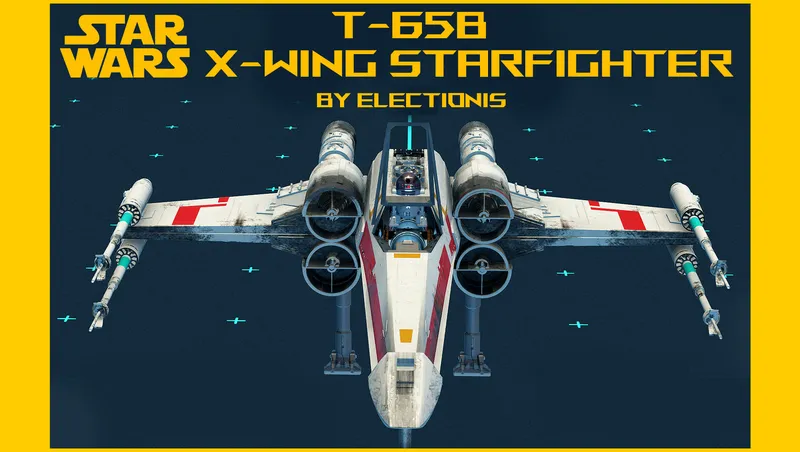
This mod adds T-65B X-Wing starfighter from Star wars original trilogy. Starfield's first fully animated single-pilot ship. Standalone, precrafted yet buildable, Grab-n-Go and more
By electionis • 1 year ago
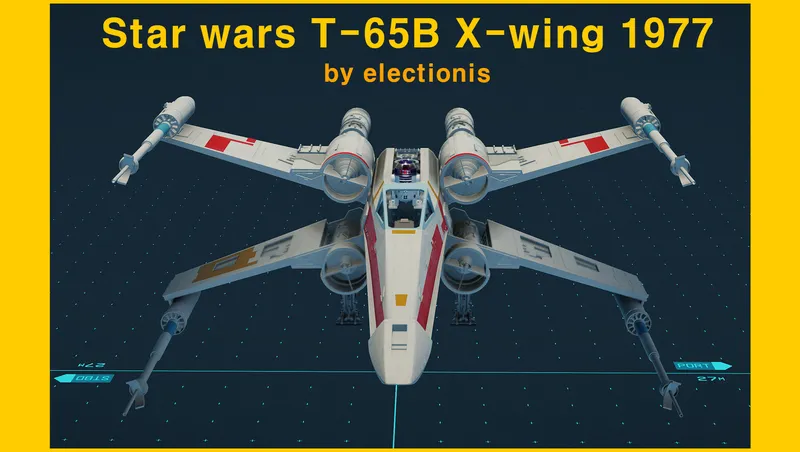
This mod adds T-65B X-wing. The “Big-X” version. Precrafted yet buildable, every part colorable. Just Grab-n-Go.
By electionis • 2 years ago
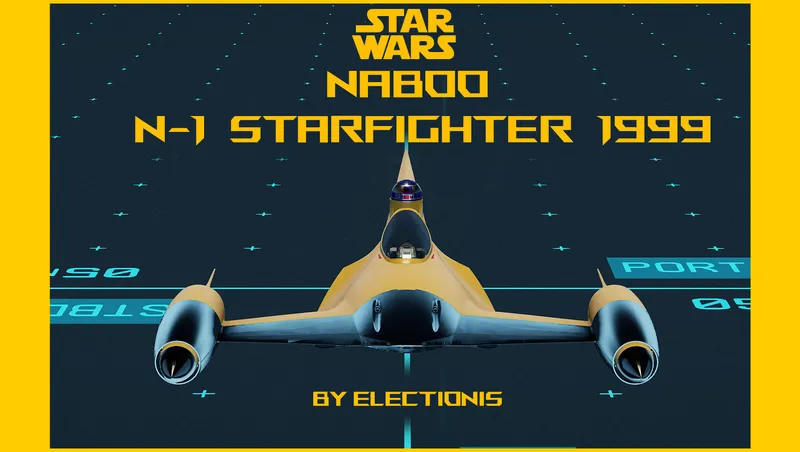
This mod adds Naboo N-1 Starfighter from Star Wars: Ep. I to Starfield. A singular single-pilot ship. Life-size, all modular, precrafted yet buildable, and Grab-n-Go.
Quick Actions
Your Rating
Sign in to rate and review this mod—your vote helps the community.
Community Rating
Categories
Mod Information
- Published
- Oct 04, 2024
- Last Updated
- May 04, 2026
- Platforms
- PC, Xbox
Search Mods
More by electionis
Related Starfield Mods