Ultra Minus - Tuned Ultra Quality INI
By mustafa2900r
Community Rating
Credits: ultramatt Proof of permissions:https://www.nexusmods.com/starfield/mods/15126?tab=description
In my quest for the perfect Starfield ini for a high end rig, I decided to try to do it solo. This took thousands of game restarts, hours, and community testers in the Ultra Place to create. Targeted at users who run Ultra preset and want the highest quality visuals. Not made with AI bs.
REQUIREMENTS/SUGGESTIONS:
FYI: Melius Wabbajack for Starfield now includes basically all of this + my ini tweaks!
-
Starfield HD Overhaul: The AO was specifically tuned for it.
-
Rabbit’s Entire Real Light Series, Windows of Starfield (Paid KoFi): tuned as much as possible for the additional light and LOD load. Kick him the $5 for Windows, you won’t regret it and he’s an excellent modder that deserves support. Open New Atlantis is really cool but if you're actually playing, a number of quests become broken and it's also incompatible with the NPC schedules mod.
-
Complete Weather Overhaul + Slightly Darker Nights (Variant 2): Not only is it the best of its kind, it has exposure GMST setting which work hand in hand with this ini to make auto-exposure as palatable as possible. The second is the critical second sun position swap to move off screen completely.
-
Starfield High Priority Launcher & Memory Fixes: Don’t help me much but they cannot hurt and others say it helps a lot.
-
SFSE Engine Fixes: Obvious
-
Souls of Cities: People have problems with it including me, but it’s better than the alternative (vanilla) and all you need to do is reduce fCrowdActorPlatformSpecificSpawnScalar in 0.05 increments till your good.
-
DLSS4.5: You need updated 310.5 DLL’s (nvngx_dlss.dll & nvngx_dlssg.dll)- can use DLSS Swapper if you’d wish. Some recommend 3.8.1 FG over 310.5, I don’t. Also update Streamline (all sl_xxx.dll’s) that exist in your SF folder via the Nvidia Streamline Github. You should also for AMD be able to use FSR4 but I’m simply not knowledgeable on it. I hugely recommend Preset M being used for Super Resolution, which you can set via Nvidia Profile Inspector.
-
EXE (Effect Textures Enhanced w/ Laser Beam Fix, DO NOT USE WITH BETTER IMPACT VISUALS) + Enhanced Blood Textures
-
Better Weapon Impact Visual Effect (CREATION): Yes, you have to pay like $2 for it, it’s really good and my ini is tuned for it but it’s not necessary.
-
Disable Distant Snow + Space Fog Begone + Flying Leaves Fix: Looks like crap with any upscaler which you’ll need.
-
Enhanced Lights & FX + Starluminous: Yes, you can run both together. I prefer Starluminous to get priority.
-
Gravity LUT: I think it’s the best, it’s just an ACES colorspace with no grading.
-
Reshade: Yes, I know, I roll my eyes when I see Reshade too. We’re not doing any color grading or nonsense though. It’s to simply use Lillium’s RCAS sharpening and MartyMcFly’s METEOR film grain (yes, I know you don’t like film grain, yes you will like it). Also necessary for RenoDX if you want to use it (if using Reno: install with addon support, if not, no addon support).
-
SETI + Light in the Dark Akila City & New Atlantis (+ More Lights) + SOL (Sensible Outpost Lighting): Compliment Rabbit’s perfectly. SETI does not cast shadows, checking if I can release a shadow casting version.
-
Entire SavrenX Series + HDTP: Nice if you have vram after HD Overhaul, load HDTP below it, SavrenX above it.
-
Clear (Not Invisible) Glass and Reflections: While Stellar Glass is awesome, this gives glass a slight reflectivity which is gorgeous
-
Galactic Mesh Fixes + xtcrefugee’s miscellaneous small mods (Va’ruun Halepod Fix): Bug fixes on meshes since you’ll see them more.
-
120 FPS Smooth UI, Compact UI’s (120fps - Crew, Mission), StarUI Everything, Undelayed Menu (120fps), Enhanced DIalogue Interface (120fps), Enhanced Subtitles (120fps): Just to make sure your HUD is running at a modern 120 FPS which you’ll probably hit with frame gen or at least looks good. Sort of a conflict mess due to lack of patching but not hard to figure out. I give StarUI and Enhanced Dialogue / Subtitles priority, other stuff is “base” and doesn’t really matter. I also run rbtUI but no 120fps and it’s more cosmetic but it’s beautiful.
-
Starfield Unofficial Patch: Yes, I know Arthmoor is evil or whatever because he changed a mine in Skyrim, but the Community Patch has been abandoned. Will need the Sun Fix with the Community Patch because…it’s been abandoned.
-
Northern Lights - Aurora Borealis: Small but big…yeah.
21.RETINA + Crowd NPC Eye Ambient Occlusion Fix + Zone’s Beautiful Body + Starqueen (+ 5.31): I’m not into this type of stuff tbh but it does look better.
-
ZY20042 + Checker90 + FrenchGentlemen: These guys all make glorious city overhauls in different scopes, I’d at least check them out because Starfield cities are kinda boring and lifeless in vanilla. However, be extremely careful on what you pick because things that edit the worldspace can easily conflict, and also break navmeshing which will cause NPCs to walk into walls or stand still. Read comments, check if you need patches, etc. Be conservative- you see something that edits all of New Atlantis, probably not a great idea.
-
Starfield Display Revamp: Just really nice, touches a lot of textures with handmade stuff.
-
Luxor’s Flashlight + Luxor’s Galaxy 8K + Luxor’s Makeup and Appearance + Luxor’s Freckles HD + Luxor’s Lip Wrinkles + Luxor’s Eyelash’s HD: The GOAT
-
Trees Rescaled + Cosmic Growth: I love the mods but they cause LOD flickering because the LOD cannot be regenerated and is significantly smaller, so because of the large difference you get a very noticeable nasty flicker when the engine loads the LODs and deloads the normal meshes. Thus, the values are too high, and it can be made more palatable, but not as impressive up close.
-
RenoDX: No more Luma. Difference really is, Reno doesn't hook into the game like Luma did.
-
Disk Cache Enabler + Updated ASI Loader: Super weird one but hear me out- so firstly, Disk Cache SFSE doesn't work, we have to use the convoluted ASI loader + ASI variant of this mod on 1.15. Now, why? Firstly, I have a 7950X3D + 4090 + Samsung 990 Pro RAID-0, so this isn't for someone running a cassette tape as a drive actually. Starfield has a problem with traversal stutter on high end rigs because SSD's are still 1000X + slower than RAM, and every asset is continually being streamed from your SSD instead of being cached. This has enormous compounding issues too beyond just your SSD because it's all I/O usage which has to be processed. This simple combo simply forces the engine to cache to memory instead of always re-reading from storage over and over of the same asset (gee, wonder why there's traversal stutter streaming assets off SSDs constantly).
OVERVIEW OF SETTINGS:
This is kind of a first pass explanation that’s more broad, but I’m going to go one by one each setting with findings. If you have any recommendations from your own testing, feel free to drop it or better yet, drop by the Discord. I literally would test each setting on various parameters, restarting the game each time, in; Neon (entrance & city interior), New Atlantis (front of UC building), Dazra (entrance, and herald’s rest), and in a large ship. This took me two months, no joke. Ultra Place helped me test as always. Just so you get a frame of reference, I’m on a 7950X3D & 4090. This is not an official Ultra Plus mod but I will be creating an SFSE utility for settings tweaks (and see if I can force live value changes somehow).
CUSTOM .INI:
Contact Shadows: Such a tiny impact, not really worth discussing on performance or visual impact. There's kind of three systems now, the normal contact shadows, screen space shadows, and then "extended" contact shadows. I tried to make them as dramatic as possible, but try even disabling contact shadows and you'll see what I mean in how miniscule these systems effect the visuals.
Controls: Just a couple fixes to make movement a little more tactile and responsive.
General: Couple vegetation collision settings which give vegetation more oomph when you collide so they don't seem so, fake. Fade lengths set to 0.1s so it's less annoying and faster perceived loading and such. Flickering lights extended distance which is nice for like fires in Dazra and such. Max light distance tripled, but it's just at what distance does the engine even consider a light "lit". Borders disabled.
Grass: More grass farther.
SAO: One of the most significant areas I spent tuning to get HD Overhaul to play nice with the AO. I found temporal filtering was the largest issue and that had to go.
Shadows: The cascades can go to 3. QuantizeSteps should always be = to resolution. More shadow maps, higher res, less culling.
Terrain: I pushed the tessellation as high as it could go. The error threshold is important, if you ever noticed rocks disappearing as you walk over them? That's from the error threshold.
Weather: SecondarySun CANNOT be disabled. I know why we want it disabled, and we can get the same effect without disabling precipitation and clouds by setting the second sun position to -5 where it doesn't effect the imagespace, Slighty Darker Nights required.
Particles: These can get heavy if you start going crazy, but Halrixx's impact visuals mod even if you shoot flechettes at the ground isn't going to kill performance with these settings.
Water: The cubemap reflections I disable because they're cheap prebaked reflections that don't look great. I made the rain bigger and farther.
Release notes
Xbox
-
1.00== Describe this release ==
Additional Screenshots Available
This mod has 3 additional screenshots available on the official Bethesda.net page.
View All Screenshots on Bethesda.netYouTube Videos
Community Rating & Feedback
No reviews with comments yet.
Be the first to leave a review!
Related Starfield Mods
By shadedness • 2 years ago
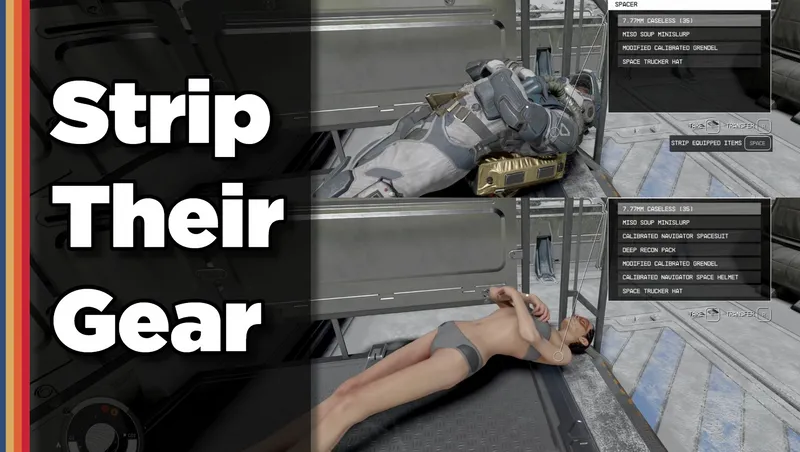
Strip any equipped armor or clothes from your fallen foes! Or simply loot-all with 1 button. Steal items from knocked-out targets instead of pick-pocketing and waking them up!
By Deebz • 2 years ago
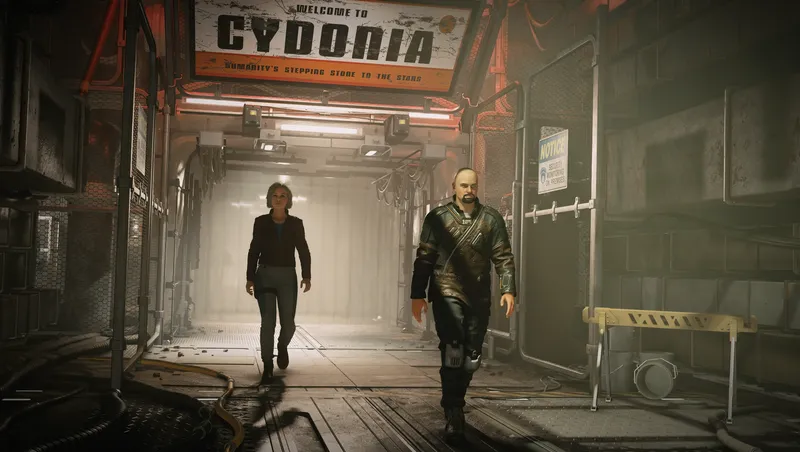
Various improvements to how followers behave while following you around.
By SAVAGESTEVE45 • 1 year ago
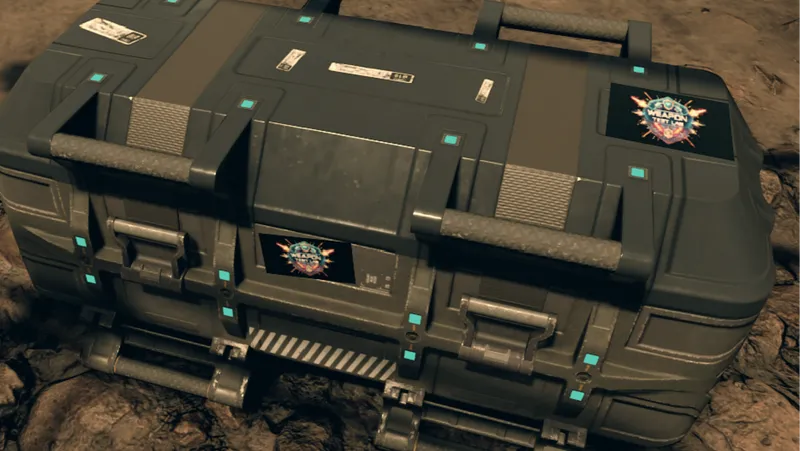
The Weapons Test Lab, making slightly bonkers weapons so you don’t have to.
By SKKmods • 2 years ago
Fast Start New Game bypasses the Argos-Atlantis tutorials starting new and NG+ games from various locations with full character configuration and custom loadouts.
Quick Actions
Your Rating
Sign in to rate and review this mod—your vote helps the community.
Community Rating
Categories
Mod Information
- Published
- Mar 21, 2026
- Last Updated
- Mar 21, 2026
- Platforms
- Xbox
Search Mods
More by mustafa2900r
Related Starfield Mods